
If you’re building a community around a business, a passion, or an audience, at some point the question shifts from “how do I grow this?” to “how do I make this sustainable?”
That’s where membership community platforms come in. Not just a place for people to hang out, membership community platforms let you monetize your community through memberships, exclusive content, events, and subscriptions—helping you build recurring revenue from the audience you’ve already grown. ⭐
The problem is the market is crowded. Every paid community platform claims to do everything. And the wrong choice doesn’t just cost money — it costs you member trust, migration headaches, and months of lost momentum.
This guide breaks down the best options in 2026 by what actually matters: how they handle monetization, who they’re built for, and what you give up when you choose one over another.
What are membership community platforms?
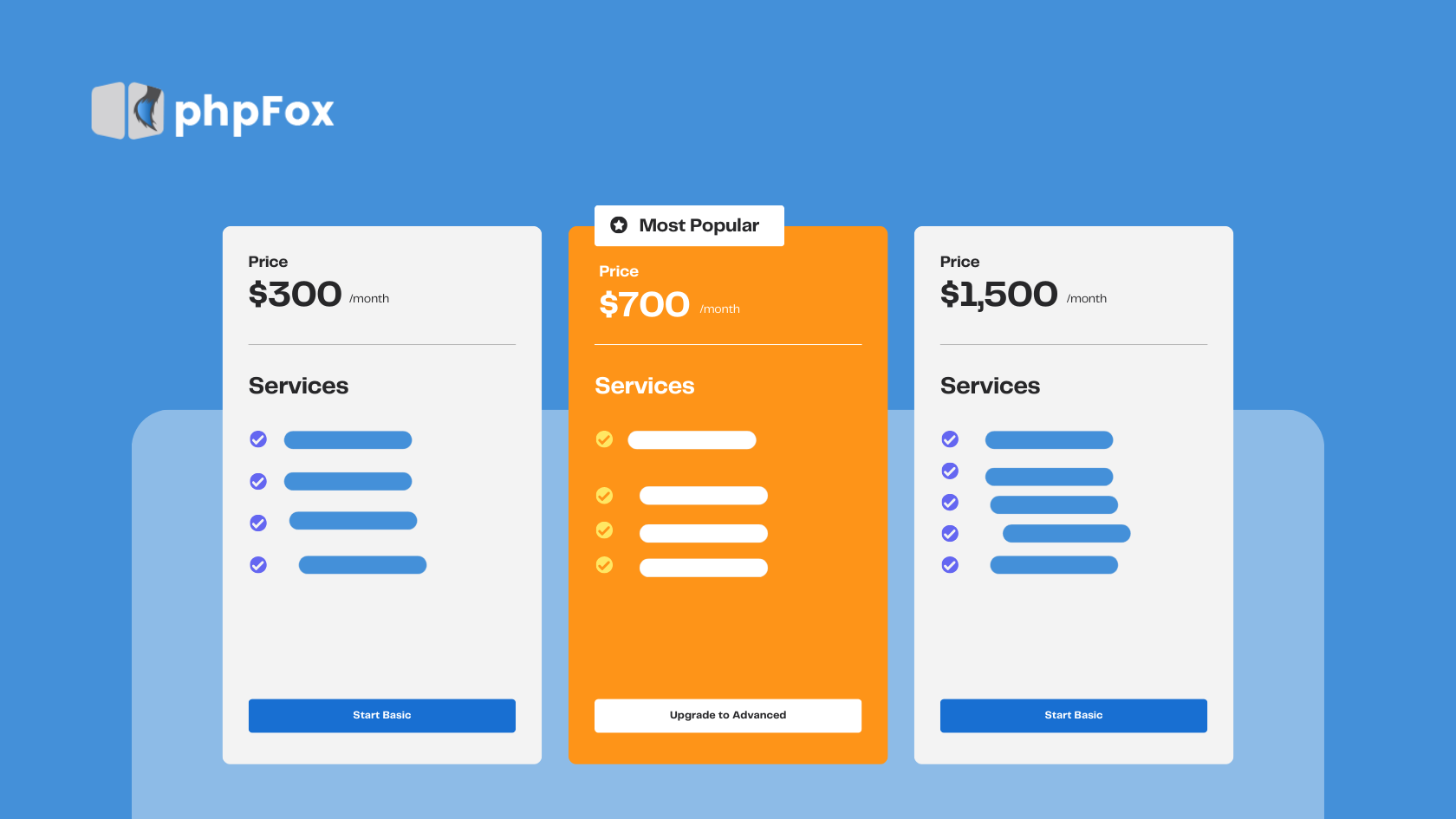
A membership community platform is software that combines two things: a space for people to connect and engage, and a system for charging them to be there.
At the basic level, it’s a paid online community software that handles member sign-ups, payment processing, and access control — who gets in, what they can see, and what happens when they cancel. At a more advanced level, it includes discussion forums, live events, courses, messaging, and engagement tools that keep members active long after they first join.
The key difference between a membership site platform and a regular community tool is the monetization infrastructure. You’re not just building a group — you’re building a business model around that group.
In 2026, the best online membership platforms go further: tiered pricing, flexible payment gateway support, and tools to upsell members from a free community into paid tiers.
Who actually needs membership community platforms?
Before comparing membership community platforms, it’s worth being clear about who this is for — because the right answer changes depending on your situation.
Small business owners using community as a layer on top of their core product. A membership platform for small businesses looks very different from an enterprise tool — you need something that grows with you without charging you per seat every time you hit a milestone.
Creators and educators monetizing their knowledge. For this group, a community platform for creators needs to do more than host discussions — it needs to handle subscriptions, gate content by tier, and keep members engaged month after month so they don’t churn.
Niche community builders in spaces like gaming, religion, politics, health, or professional development. A niche community platform built around a specific audience can charge more, retain better, and grow faster than a generic one — because members feel like they’re exactly where they belong.
Community managers and educators inside organizations who need an online community for educators, employees, or customers — structured around learning, collaboration, or brand loyalty rather than open social feeds.
What these groups share: they’ve outgrown free platforms, they’re leaving money on the table, and they need infrastructure that matches where they’re trying to go.
What to look for in membership community platforms?
Before comparing features, there’s one bigger decision to make first: SaaS or self-hosted?
SaaS platforms: You pay monthly, log in, and get going within a day. No server setup, no technical headaches. The catch: you’re renting. The vendor holds your data, can change pricing anytime, and if they shut down, your community goes with them.
Self-hosted platforms: they are software you install on your own server. More work upfront, but everything is yours — the data, the code, the infrastructure. You pay once for the license and run it as long as you want. No monthly platform fees, no vendor risk.
Neither is wrong. SaaS is a good fit if you want to get started quickly and keep things simple. Self-hosted makes more sense if your community is a core part of your business and you want to own it long-term.
Once you’ve picked a model, here’s what to actually look at:
Subscription management
Managing memberships should be effortless, whether you have 50 members or 50,000. Look for a platform that supports multiple pricing tiers, monthly and annual subscriptions, free trials, automatic renewals, and instant access management. When members upgrade, downgrade, renew, or cancel, the system should handle everything automatically—allowing you to focus on growing your community instead of managing subscriptions manually.
Transaction fees — The monthly fee isn’t the full picture. A platform at $49/month with a 5% transaction cut can end up costing more than one at $89/month with no fees — once you’re doing real revenue. Self-hosted platforms usually skip the per-transaction fees entirely. Run the numbers before you commit.
Role-Based Content
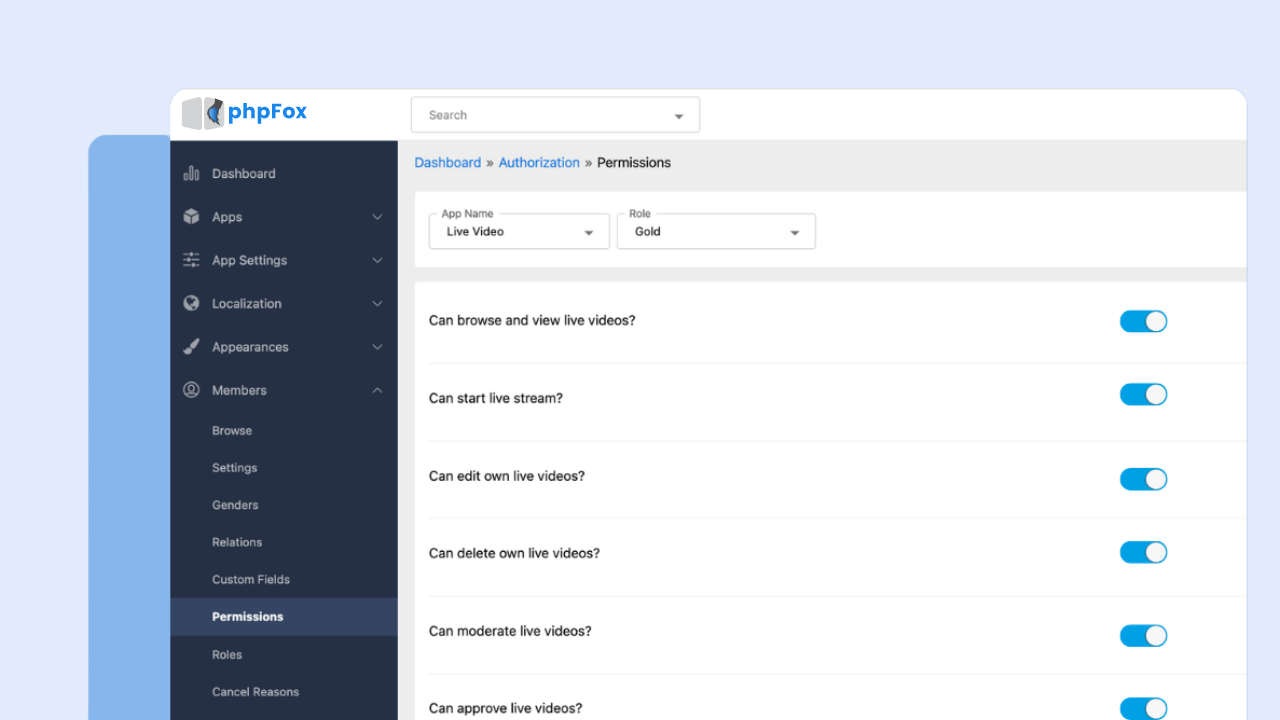
 Different tiers should see different content automatically. If you have to manually update member roles every time someone upgrades or cancels, that’s a problem at scale.
One of the biggest advantages of a membership business is the ability to create multiple membership tiers, each offering its own level of value. Whether you’re offering Bronze, Pro, or VIP plans, the platform should automatically grant access to the appropriate content, groups, courses, events, and member benefits based on each subscriber’s plan. As your community grows, automated access management saves time, reduces administrative work, and ensures a seamless experience for every member.
Engagement tools — Selling a membership gets people through the door. Keeping them engaged is what keeps them paying month after month. Look for features that encourage members to participate regularly, such as:
- Community feed
- Member profiles
- Discussion forums
- Groups & subcommunities
- Direct messaging
- Events & live streaming
- Polls
- Member badges / gamification
- Notifications (email & push)
- Mobile apps (iOS & Android)
- Content sharing (video, photos, documents)
The more reasons members have to interact with your community, the more valuable your membership becomes—and the less likely they are to cancel.
Platform ownership
Platform ownership goes far beyond simply owning a website. It means having full control over the technology, data, branding, and operations that power your community and business.
- Technology & Infrastructure – Own your platform’s source code, hosting environment, website, mobile apps, and overall technical infrastructure. You’re not dependent on a third-party provider to determine how your platform evolves.
- Customer Data Ownership – Maintain full access to your member database, including contact information, subscription history, engagement metrics, and behavioral insights. This data helps you make better business decisions and build stronger customer relationships.
- Brand & Content Control – Build a fully branded experience using your own domain, logo, design, and messaging. Publish and manage content without worrying about changing algorithms, third-party policies, or platform-imposed limitations.
- Operations – Define your own community rules, moderation policies, membership structure, and administrative workflows. You decide how your community is managed and how it grows over time.
With many SaaS membership community platforms, you’re still operating within someone else’s ecosystem. On the other hand, a self-hosted membership community platform gives you full ownership of your data, allowing you to grow your business without worrying about changing policies, vendor lock-in, or losing access to your audience.
Branding — Your community should feel like a natural extension of your business—not someone else’s platform. Look for a solution that lets you use your own domain, logo, colors, and branding throughout the entire member experience. A fully branded community builds trust, reinforces your identity, and creates a more professional experience for both new and existing members.
7 Best Membership Community Platforms for Monetization in 2026
Every membership business is different. Some membership community platforms are built for creators selling exclusive content, while others are designed for businesses running customer communities, membership organizations, or branded online networks.
To help you find the right fit, we’ve compared the best membership community platforms based on the factors that matter most for long-term success, including subscription management, member engagement, branding, customization, scalability, and monetization flexibility.
1. phpFox
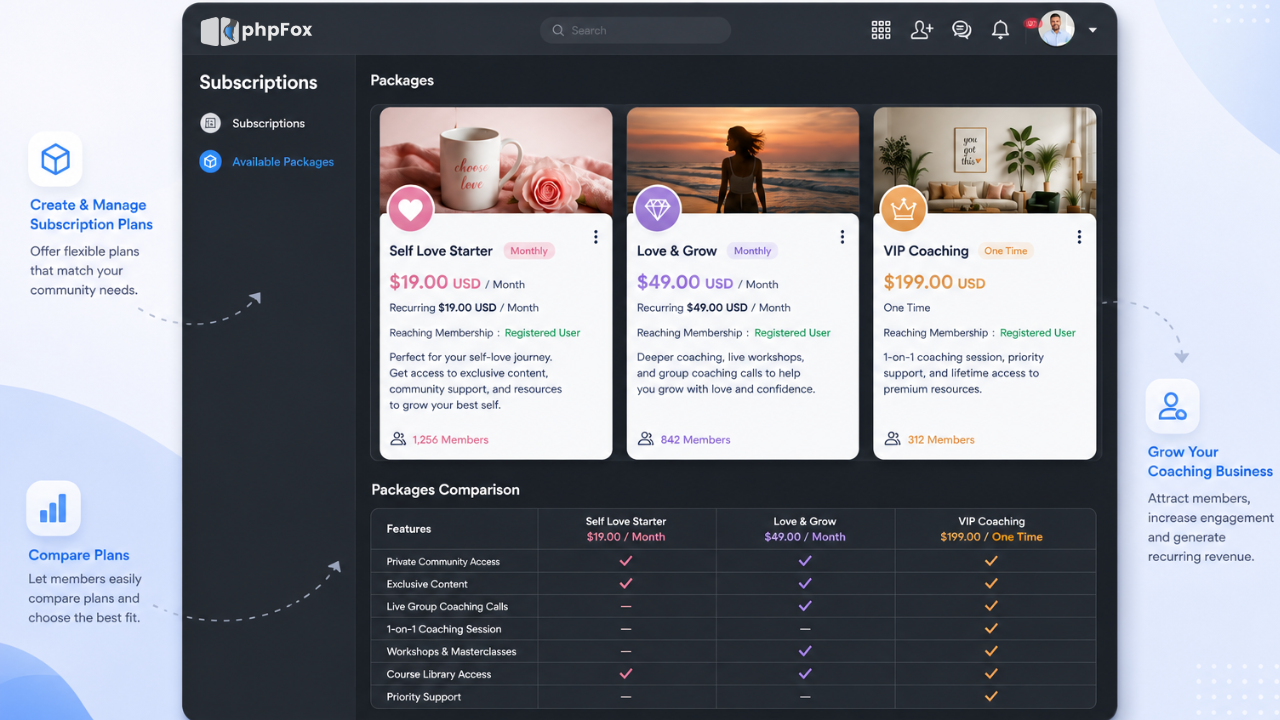
If you want to build a fully branded community that you actually own — no monthly platform fees, no vendor lock-in, no algorithm — phpFox is one of the few platforms built for exactly that.
It’s a self-hosted social networking software you install on your own server. You get activity feeds, member profiles, groups, forums, messaging, photo and video sharing, and paid membership tiers — all running under your own domain and brand. Unlike SaaS platforms, where you’re renting space, phpFox gives you the full infrastructure to run a standalone community platform as a long-term business asset.
It also comes with white-label mobile apps for iOS and Android, so your members get a native app experience under your brand — not phpFox’s.
phpFox is best for… Businesses, SaaS companies, niche community builders, and membership organizations that want full ownership over their platform, data, and brand — without paying per seat as they grow.
Key Features
- Multiple membership tiers and subscription plans
- Premium content and member-only access
- Community feeds, forums, groups, and messaging
- Events, live streaming, and mobile apps
- Gamification and engagement tools
- Complete branding and customization
- Full ownership of member data and platform
- Self-hosted deployment with no vendor lock-in
The pros of phpFox for memberships
- Self-hosted — your data stays on your own server, no third-party access
- Full white-label customization, including branded iOS and Android apps
- One-time license fee (Pro License $299, Ultimate License $899) with no recurring platform fees
- Built-in membership tiers, subscription management, and gated content
- Plugin and API system for custom integrations and feature extensions
- High Performance Mode (Laravel Octane) for communities that need speed at scale
The cons of phpFox for memberships
- Requires technical setup — you’ll need a developer or some server knowledge to get started
- The community and plugin ecosystem is smaller than platforms like WordPress
2. Circle
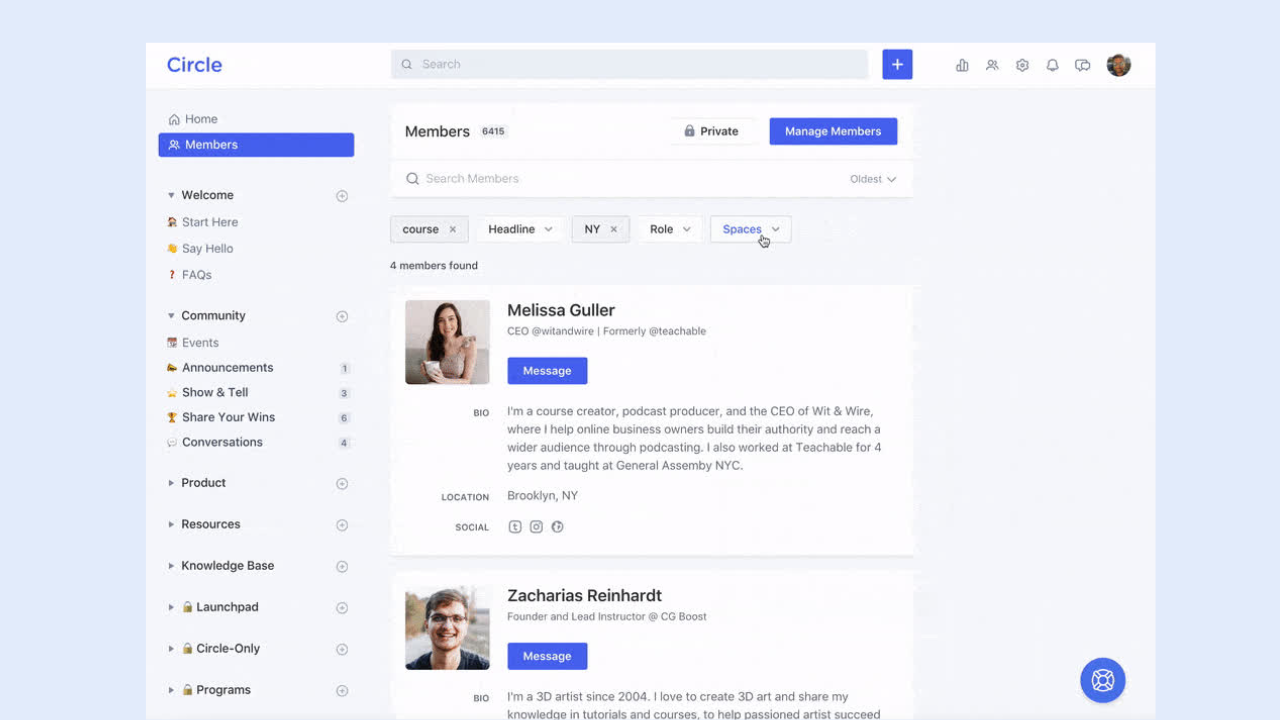
If you’re a creator, coach, or brand that wants a clean, purpose-built platform with strong monetization tools — and you want to get up and running fast — Circle is one of the best options available right now.
It lets you organize your community into “Spaces” (separate areas for different topics, courses, or member segments), gate content behind paid membership tiers, run live events, and automate member onboarding. The interface is well-designed and members genuinely enjoy using it. There’s also a solid mobile app and native integrations with tools like Zapier, Stripe, and most major email platforms.
Circle doesn’t try to be a course platform or an email marketing tool — it focuses on community, and does it well.
Circle is best for… Creators, coaches, and community-led businesses running paid memberships who want a polished member experience without building from scratch.
The pros of Circle for memberships
- Clean, modern UI that members actually enjoy using
- Paid membership tiers with gated Spaces and content access
- Native live events, courses, and community digests built in
- Strong automation and workflow tools for onboarding and engagement
- White-label options and branded mobile apps on higher plans
- Integrates easily with Stripe, Zapier, and email platforms
The cons of Circle for memberships
- Monthly fees start at $89/month — cost adds up fast as you scale
- 2% transaction fee on the Professional plan cuts into revenue
- You’re on Circle’s infrastructure — platform risk if they change pricing or direction
- White-label and branded apps locked behind more expensive plans
- Less flexibility for communities that need deep custom functionality
3. Mighty Networks
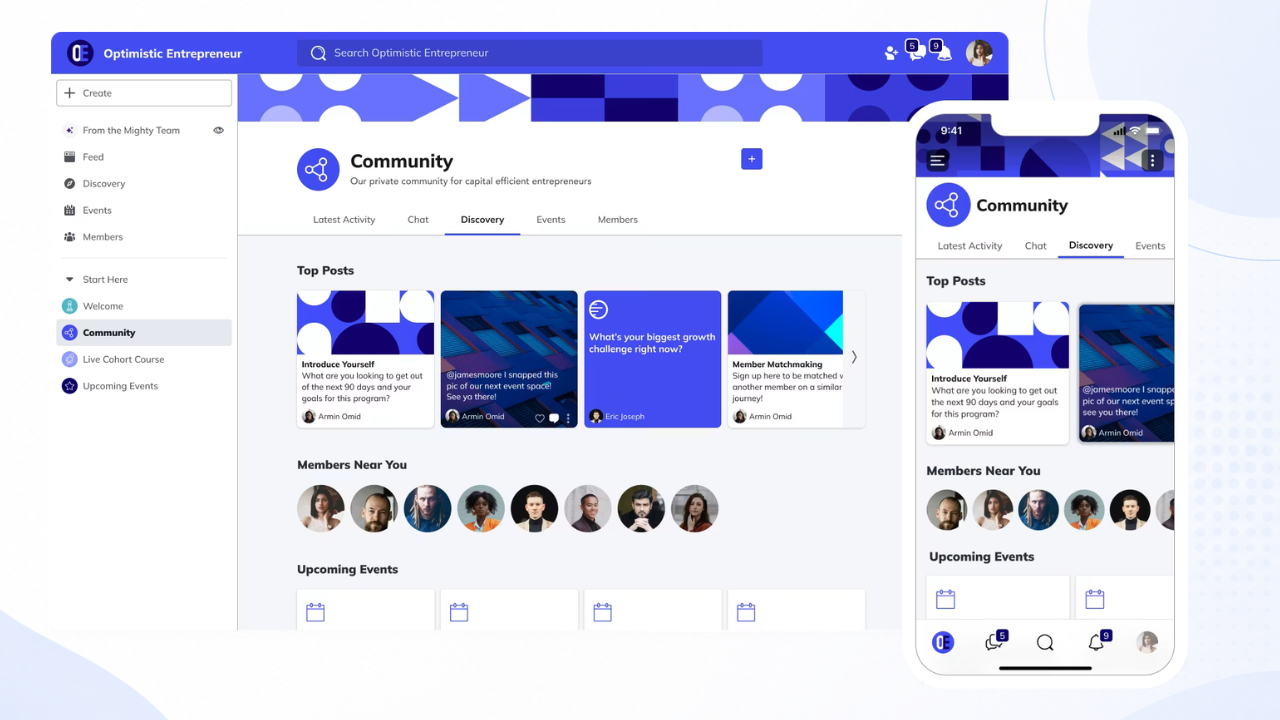
If you want to run membership community platforms alongside online courses and live events — all in one place, under your own brand — Mighty Networks is one of the most complete platforms for that combination.
It’s built around member-to-member connection, not just creator-to-member broadcasting. Members can interact through posts, direct messages, and topic-based spaces. You can layer in structured courses, live events, challenges, and gamification to keep members engaged long after they first join. The mobile app is strong — arguably the best native app experience of any platform in this category.
Mighty Networks is best for… Educators and creators who want community, courses, and membership management in one branded environment — especially if mobile engagement matters to their audience.
The pros of Mighty Networks for memberships
- Community, courses, events, and memberships all in one place
- Strong native mobile app under your brand
- Member-to-member connection features built into the core product
- Gamification tools (challenges, leaderboards, habit trackers) to reduce churn
- Supports 135 currencies for global communities
- Solid analytics for revenue, engagement, and retention
The cons of Mighty Networks for memberships
- Pricing scales up quickly — gets expensive as your community grows
- Transaction fees on lower-tier plans eat into revenue at early stages
- Course tools are decent but not as deep as dedicated LMS platforms like Thinkific
- Customization options are more limited compared to self-hosted platforms
- You’re still dependent on Mighty’s infrastructure and roadmap
>>> See how phpFox compares to Mighty Networks
4. Patreon

If you already have an audience on YouTube, a podcast, or social media — and you want the quickest path to subscription revenue without building a full platform — Patreon gets you there faster than anything else on this list.
You set up membership tiers, attach perks (exclusive posts, early access, behind-the-scenes content), and your existing followers subscribe. No technical setup, no hosting to manage. Patreon also has a large built-in user base, which can help with discovery if your audience is already familiar with the platform.
The trade-off is significant at scale: Patreon takes 8–10% of everything you earn, and you don’t own the platform, the data, or the community experience.
Patreon is best for… Creators with an existing audience on YouTube, podcasts, or social media who want to start earning from subscriptions quickly — without building or managing a full platform.
The pros of Patreon for memberships
- Fastest way to start earning from subscriptions — setup takes hours, not days
- No technical knowledge required
- Large existing user base familiar with the platform
- Multiple membership tier options with perks and exclusive content
- Integrates with Mailchimp, Discord, and other tools via Zapier
The cons of Patreon for memberships
- Takes 8–10% of your revenue — gets expensive fast as you scale
- No custom domain, no white-labeling — your community lives on Patreon’s brand
- Community features are basic — discussion threads, no live events or course hosting natively
- You don’t own your audience data — limited export options
- Algorithm and discovery depend on Patreon’s platform, not your own
5. Podia
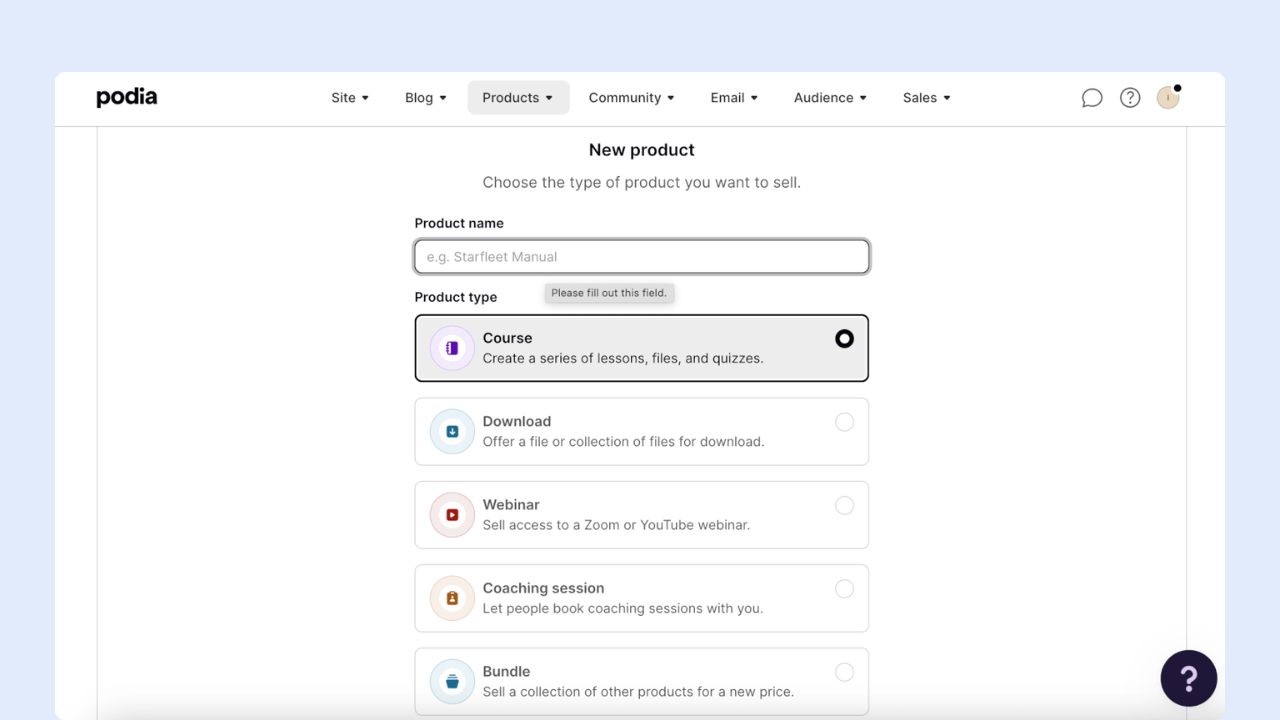
If you want to create membership community platforms around your online course, coaching service, or digital content, Podia is an attractive all-in-one solution.
It lets you build your website, sell courses and products, publish a blog, run webinars, and even manage your email marketing. What’s more, you can also build a community around your products and let members interact through posts and discussion topics.
The great news is that you can try out many of these features for free. You’ll only need to pay once you want to start selling your products and services.
Podia is best for… Coaches, educators, and content creators are looking for a simple, all-in-one solution to manage their memberships and communities.
The pros of Podia for memberships
- One of the most complete membership platforms we’ve tested — build a website, sell online products, offer courses, and build a community
- Flexible payment options — offer one-off payments or payment plans at a cadence you specify
- Built-in email marketing features
- Can connect Stripe or PayPal to accept payments
The cons of Podia for memberships
- Community features are basic — lacks engagement features like polls and integrated livestreaming, and members can’t message each other directly
- Website templates are limited, and Podia’s editor doesn’t offer drag-and-drop functionality
- Pricier than many other platforms (starting at $39/month), and you need to pay double that if you plan to use it for affiliate marketing
- Email marketing is a paid add-on if you have more than 100 subscribers, and automations aren’t as advanced as other platforms
6. Teachable
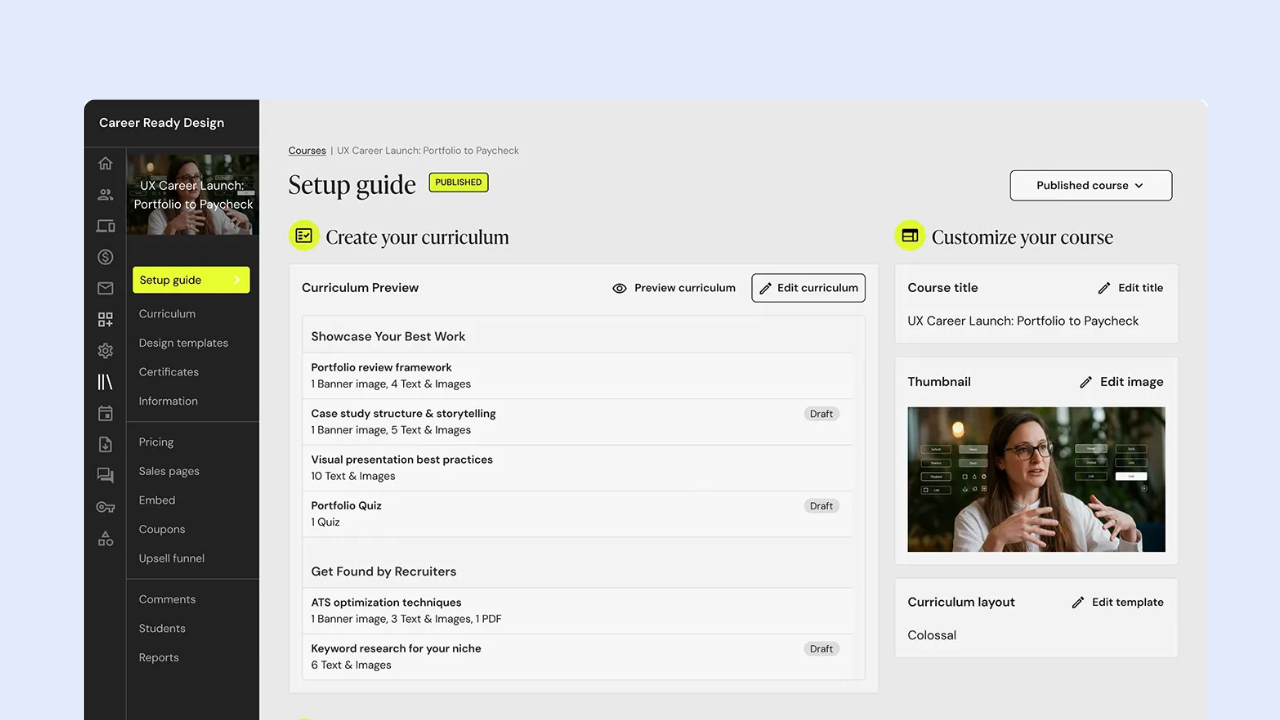
If you want a straightforward platform to sell online courses and coaching programs — without dealing with complicated setup — Teachable is one of the more approachable options for creators just getting started.
It handles the core course delivery well: drag-and-drop lesson builder, video hosting, quizzes, certificates, drip content, and a clean student experience on both desktop and mobile. You also get built-in sales tools like coupons, order bumps, upsells, and an affiliate program — features that most pure community platforms don’t offer natively.
Teachable is best for…
Independent creators, coaches, and educators who want a reliable platform to sell online courses and digital products — and want built-in marketing tools like affiliates and upsells without managing separate software.
The pros of Teachable for memberships
- Clean, beginner-friendly course builder with solid student experience
- Built-in affiliate program to drive course sales (Builder plan and up)
- Native iOS and Android student app included on all paid plans
- Membership tiers and bundling available — memberships don’t count toward product limits
- Order bumps, upsells, and abandoned cart emails to increase revenue per student
The cons of Teachable for memberships
- That said, Teachable is primarily a course platform, not a community one. Its community and membership features exist, but they’re not the main event — and if member-to-member interaction is central to your model, you’ll feel that gap quickly.
7. Thinkific

If delivering a high-quality online learning experience is your main goal — and community is secondary to that — Thinkific is one of the strongest course platforms available.
It has a flexible, drag-and-drop course builder that supports video, text, quizzes, assignments, downloadable files, and live Zoom sessions. You can sell courses as one-off purchases or bundle them into membership tiers with recurring billing. It also includes basic community features (discussion spaces, member forums) and a branded mobile app option on higher plans.
Where Thinkific pulls ahead of most competitors is in the depth of the learning experience itself: certificates, course compliance, structured assessments, and in 2026, an AI teaching assistant (Thinker) that answers student questions inside your course in your voice.
Thinkific is best for… Educators, coaches, and subject matter experts who want a robust course platform with membership tiers — where the quality of the learning experience matters more than the depth of the community features.
The pros of Thinkific for memberships
- Best-in-class course builder — video, quizzes, assignments, certificates, drip content
- Memberships with gated course access available from the Start plan ($74/month annual)
- 0% transaction fees in primary markets (US, UK, Canada) when using Thinkific Payments
- Branded mobile app available on higher plans
- Strong student analytics — completion rates, engagement, and revenue reporting
- Thinker AI teaching assistant (2026) for automated student support inside courses
The cons of Thinkific for memberships
- Community features are basic compared to dedicated community platforms — no live events natively, limited member-to-member interaction
- Memberships locked behind the Start plan ($74/month annual) — not available on the cheapest tier*
- Thinkific branding stays on your site unless you upgrade to the Grow plan ($149/month annual)*
- No built-in email marketing — requires integrations with Mailchimp, Kit, or ActiveCampaign
- Not the right fit if community is your primary product — better platforms exist for that use case
Note: Pricing accurate as of June 2026. Please verify on the platform’s website.
Tips for Choosing Your Best Membership Community Platforms
The best membership community platform isn’t necessarily the one with the longest feature list — it’s the one that fits how your community actually works today, and doesn’t box you in tomorrow.
Here’s what I’d think through before making a decision:
Get clear on how you make money from this community. Are members paying for access to you, to your content, to each other, or to all three? That answer changes everything. A coaching community where members show up for live calls needs strong event and messaging tools. A course-based membership needs solid content gating and progress tracking. A brand community might not need monetization at all — but needs deep analytics. Don’t just pick a platform based on a feature list. Pick one based on your revenue model.
Think about where your members actually are. A gaming community that lives on Discord will not migrate to a forum-style platform without friction. An educational cohort that expects structured modules won’t feel at home in a real-time chat environment. The best platform is the one your members will actually show up to — not the one that looks best in a demo.
Separate “nice to have” from “need to have” early. Most platforms will sell you on everything they offer. But what you actually use in year one is usually a small subset of that. Nail down the three or four things your community absolutely cannot run without — then evaluate platforms on those first.
Factor in the total cost, not just the monthly fee. A $49/month platform with a 5% transaction fee and no data portability can cost more over three years than a $999 one-time license with no recurring fees. Run the numbers at your projected member count and revenue — the cheaper-looking option often isn’t.
Think seriously about ownership from day one. The hardest migration you’ll ever do is moving an established, active community from one platform to another. Members drop off, momentum breaks, and the technical work is significant. If there’s any chance you’ll eventually want your own infrastructure — your own domain, your own data, your own brand — it’s much easier to start there than to move later.
Don’t over-engineer your launch. The most common mistake is spending three months evaluating platforms instead of building the community. Pick the option that handles your core needs well, get your first members in, and let real usage tell you what’s missing. A community with 50 active members on a simple platform beats a perfect setup with no one in it.
The platform is just infrastructure. What keeps members paying month after month is the value they get from being there — the connections, the content, the access to you. Get that right first, and the platform choice becomes much easier to make.
Final Thoughts
Choosing the right membership community platforms comes down to your goals, budget, and long-term growth plans. Some platforms are built for creators, others focus on courses, while some prioritize flexibility, customization, or complete ownership.
The best choice isn’t necessarily the one with the longest feature list—it’s the one that supports how you want to build, engage, and monetize your community. As your community grows, factors like scalability, customization, integrations, and member experience become just as important as pricing.
Take the time to evaluate your options, make a comparison, and choose a platform that can grow alongside your business—not one you’ll outgrow in a year.
If you’re looking for a membership community platform that combines powerful engagement tools, flexible monetization, complete branding, and full ownership of your data, phpFox is worth exploring.
Start your 14-day free trial today and see how phpFox can help you build, grow, and monetize your membership community — on your own terms.