

Businesses today don’t just need a way to attract customers—they need a place to bring them together.
Many businesses start with Facebook Groups, LinkedIn, Slack, or Discord because they’re quick and familiar. However, these platforms weren’t built for managing branded communities. As your community grows, conversations become fragmented, member management becomes harder, and you’re limited by third-party rules, branding, and data ownership. For organizations that handle confidential discussions or private memberships, public social platforms may not provide the level of privacy and control they need.
That’s where social networking software for business makes the difference. It provides a dedicated space where businesses can bring members, customers, employees, or partners together, manage everything from one place, protect sensitive information, and deliver a fully branded community experience.
In this guide, we’ll explore the 7 best social networking software for business in 2026, compare their strengths and limitations, and help you choose the right platform for your organization’s goals.
What Is Social Networking Software for Business?

Social networking software for business gives organizations a dedicated space where customers, members, employees, or partners can connect around a shared purpose—whether that’s learning, collaborating, supporting one another, or building professional relationships.
Depending on your business goals, the platform can be used to:
- Onboard new customers or members.
- Build a membership community with exclusive content.
- Create a customer community for product support and discussions.
- Connect employees through an internal social network.
- Launch a professional networking or niche community.
Most social networking software for business includes familiar features people already know from social media, such as activity feeds, groups, private messaging, notifications, member profiles, events, and content sharing. The difference is that your business owns the platform, controls the branding, manages member data, and decides how the community operates.
When Free Social Media and Chat Tools Are No Longer Enough for Your Business
Most businesses don’t start by searching for social networking software. They usually begin with familiar tools like Facebook Groups. But as their community grows, those tools become harder to manage.
Here are some common signs it’s time to consider a dedicated social networking platform:
Limited customization
Free platforms weren’t built around your specific business model, so features like tiered memberships or custom workflows are often impossible to add.
Algorithm dependency
Public social platforms can change algorithms, policies, or features at any time. Since you don’t own the platform, you have little control over how your community is reached or how members interact with your content.
Weak Privacy and Security
If your business manages confidential discussions, paid memberships, internal collaboration, or customer data, public social networks may not provide the level of privacy and access control you need.
Disconnected brand experience
On third-party platforms, your community is surrounded by someone else’s branding, ads, and distractions. Instead of reinforcing your brand, you’re competing for your members’ attention.
Weak monetization options
Turning a community into recurring revenue through subscriptions or paid content is clunky at best on most public social networks.
Whether you’re offering memberships, premium content, online courses, or exclusive events, monetization features on traditional social media are often limited or designed around the platform—not your business model.
If several of these challenges sound familiar, it’s a strong sign that your business has outgrown general social media. A dedicated social networking software for business can help you centralize your community, strengthen relationships, and create a space that’s fully under your control.
7 Best Social Networking Software For Businesses in 2026
Choosing the right social networking software for business isn’t about finding the platform with the longest feature list—it’s about finding one that fits your business goals.
Some platforms are built for creators selling memberships and online courses. Others focus on customer communities, employee collaboration, professional networking, or private member organizations. The best choice depends on how you want your community to grow, engage, and create value for your business.
To help you make an informed decision, we’ve compared the best social networking software for businesses based on the features that matter most, including community management, branding, customization, scalability, privacy, monetization, and long-term ownership.
1. phpFox
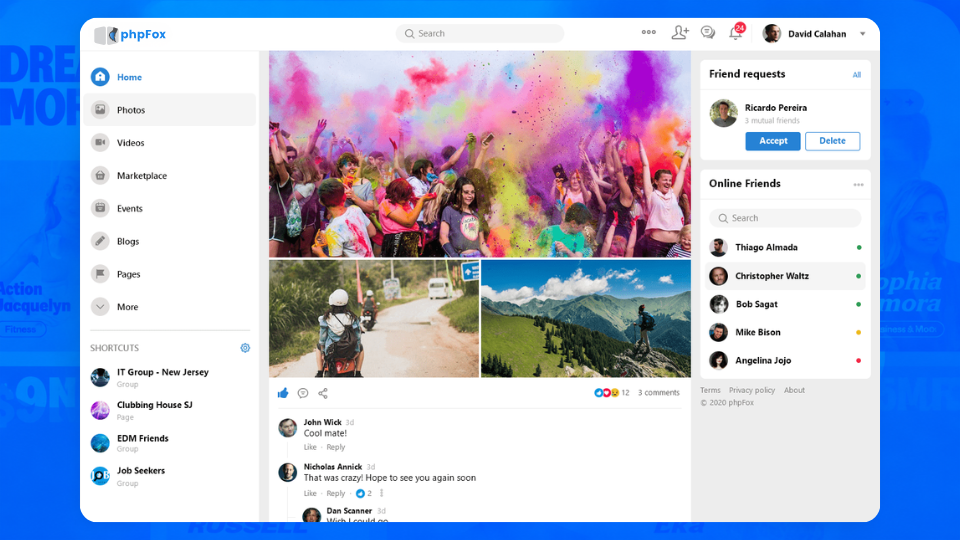
Best for: Businesses, membership organizations, enterprises, and community builders that want full ownership of their platform, data, and brand.
Unlike most social networking platforms that operate on a SaaS model, phpFox is a fully self-hosted social networking software for business that gives organizations complete control over their online community. Instead of building your business on a third-party platform, you own the entire infrastructure—from your domain and member data to your branding and monetization strategy.
Whether you’re launching a customer community, a private membership site, a professional network, or an internal employee platform, phpFox provides the flexibility to build a community tailored to your organization’s unique needs.
Key Features
- Fully self-hosted platform with complete data ownership
- White-label web platform and native iOS & Android mobile apps
- Activity feeds, rich member profiles, groups, forums, events, and private messaging
- Photo, video, and file sharing
- Membership subscriptions and flexible monetization options
- Powerful Admin Control Panel with granular permission management
- REST APIs and developer-friendly architecture for custom integrations
- Extensive customization with themes, apps, and plugins
Pros
- Complete ownership of your community, member data, and infrastructure
- Highly customizable to match your branding and business workflows
- Supports private, enterprise, and highly regulated communities
- Scales well for businesses planning long-term community growth
Cons
- Requires hosting and initial setup
- Better suited for organizations looking for a long-term community platform rather than a quick plug-and-play solution
Pricing
- One-time license starting at $299
- Cloud plans starting from $39/month

2. Circle
Circle is another common pick for businesses evaluating social networking software for business alongside a paid course or content offer.
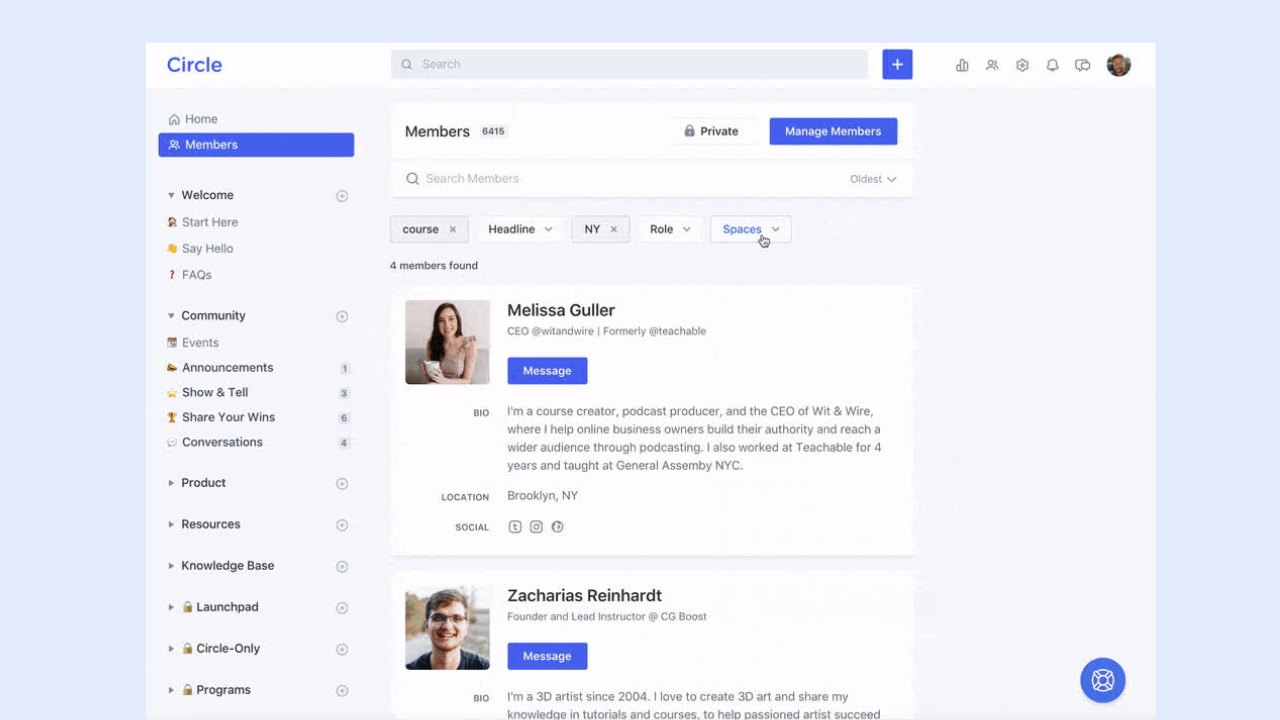
Best for: Creators, coaches, and community-led businesses running paid memberships who want a polished member experience without building from scratch.
Key features: “Spaces” for organizing topics and courses, paid membership tiers, live events, member onboarding automation, native mobile app.
Pros:
- Clean, modern UI that members actually enjoy using
- Paid membership tiers with gated Spaces and content access
- Native live events, courses, and community digests built in
- Strong automation and workflow tools for onboarding and engagement
- White-label options and branded mobile apps on higher plans
- Integrates easily with Stripe, Zapier, and email platforms
Cons:
- Monthly fees start at $89/month — cost adds up fast as you scale
- 2% transaction fee on the Professional plan cuts into revenue
- You’re on Circle’s infrastructure — platform risk if they change pricing or direction
- White-label and branded apps locked behind more expensive plans
- Less flexibility for communities that need deep custom functionality
Pricing: Plans start at $89/month, billed monthly; higher tiers unlock white-label and branded app options.
3. Mighty Networks
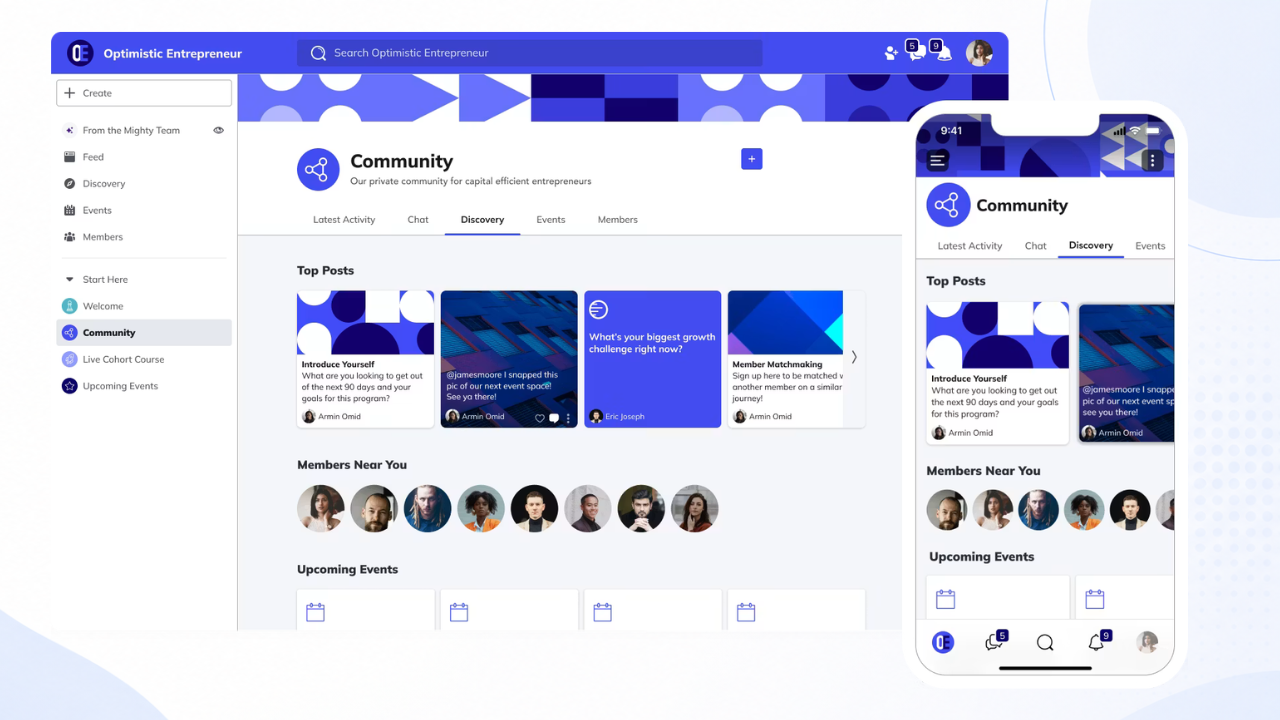
Best for: Creators and educators monetizing an audience through a mix of courses, events, and paid community access.
Key features: Community spaces, structured courses, live events, membership tiers, native branded app (on higher plans).
Pros:
- Community, courses, and events bundled into one subscription
- Native branded app available on higher-tier plans
- Strong built-in monetization and membership tiering
- Active support and resources aimed specifically at creators
Cons:
- Branded native app requires upgrading to a pricier plan
- Less flexible for businesses needing custom workflows or integrations
- Can feel like more than you need if you don’t run courses
Pricing: Plans start at $79/month, with native app branding reserved for higher tiers.
4. Kajabi
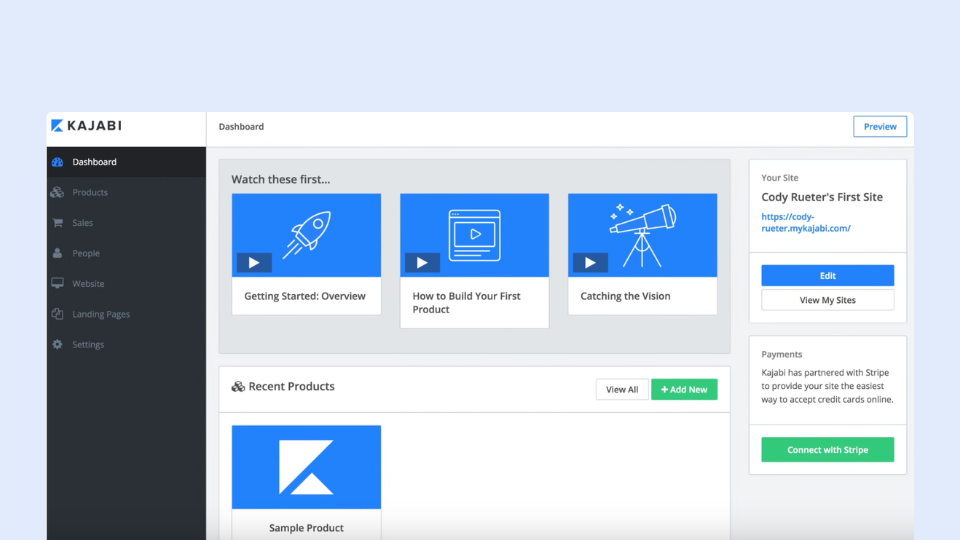
Best for: Course creators and coaches who want community bundled with sales, email, and course tools in one subscription.
Kajabi is primarily an all-in-one course and marketing platform, with community functionality included as a built-in feature rather than the main product.
Key features: Course hosting, built-in community spaces, email marketing, sales funnels, membership billing.
Pros: One subscription covers courses, marketing, and community—useful if you don’t want to stitch together separate tools.
Cons: Community is capped by plan (as few as 1 community on entry tiers), pricing starts around $179/month and climbs fast on higher tiers, plus a small transaction fee on top of the subscription. Community features feel secondary compared to platforms built around community first.
Pricing: Subscription plans from roughly $143 to $399/month.
5. Podia
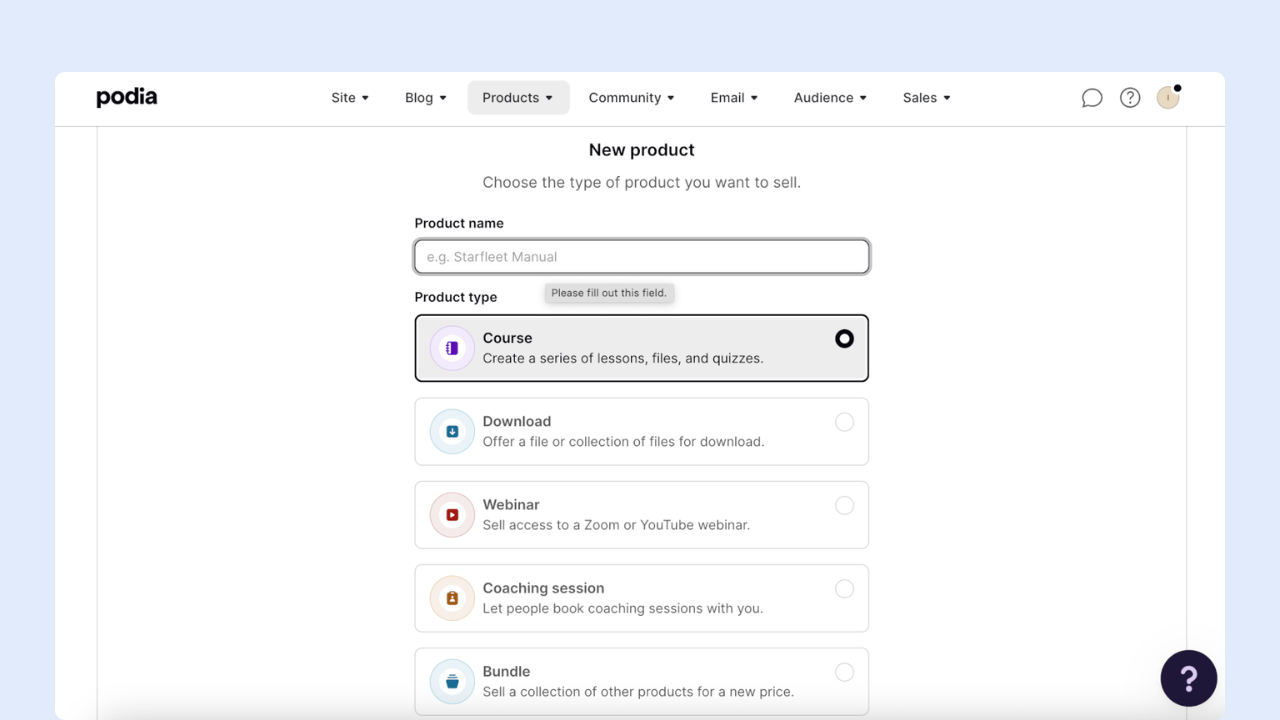
If you’re running an online course, coaching service, or digital content business and want social networking software for business built around it, Podia is an attractive all-in-one solution.
It lets you build your website, sell courses and products, publish a blog, run webinars, and even manage your email marketing. What’s more, you can also build a community around your products and let members interact through posts and discussion topics.
The great news is that you can try out many of these features for free. You’ll only need to pay once you want to start selling your products and services.
Podia is best for… Coaches, educators, and content creators are looking for a simple, all-in-one solution to manage their memberships and communities.
Pros:
- One of the most complete membership platforms we’ve tested — build a website, sell online products, offer courses, and build a community
- Flexible payment options — offer one-off payments or payment plans at a cadence you specify
- Built-in email marketing features
- Can connect Stripe or PayPal to accept payments
Cons:
- Community features are basic — lacks engagement features like polls and integrated livestreaming, and members can’t message each other directly
- Website templates are limited, and Podia’s editor doesn’t offer drag-and-drop functionality
- Pricier than many other platforms (starting at $39/month), and you need to pay double that if you plan to use it for affiliate marketing
- Email marketing is a paid add-on if you have more than 100 subscribers, and automations aren’t as advanced as other platforms
6. Teachable
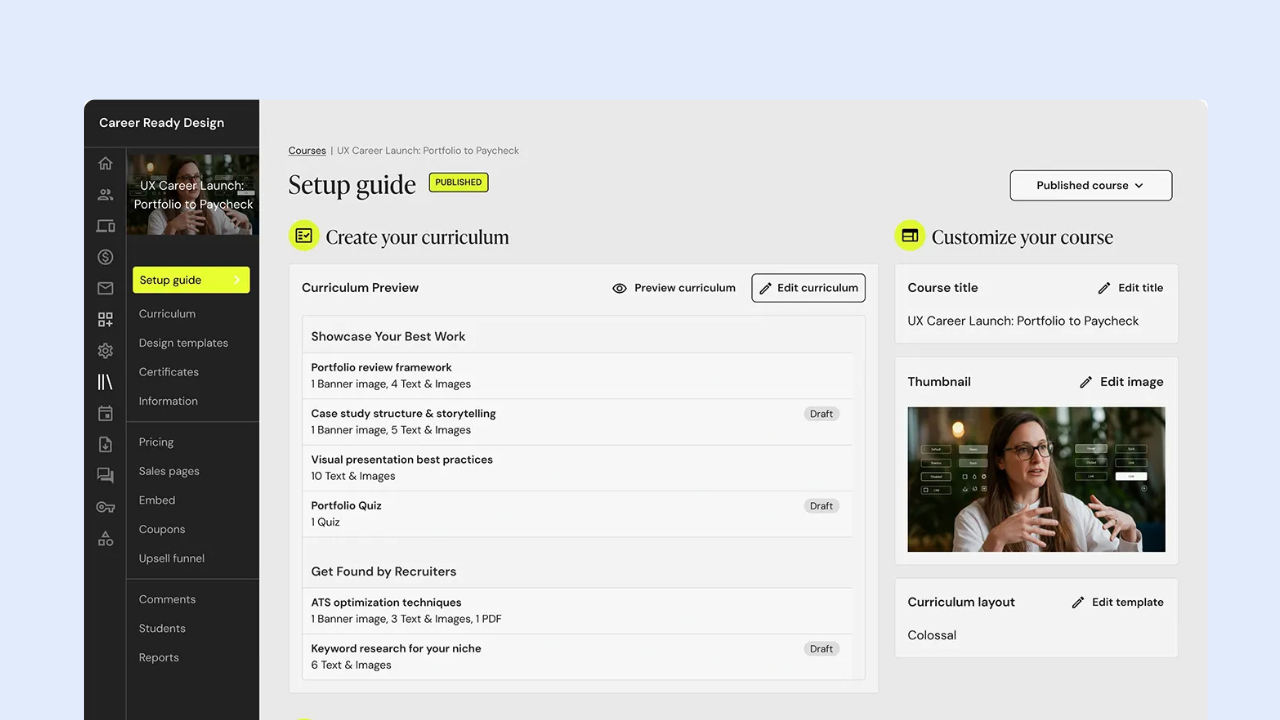
Best for: Course creators, educators, coaches, and experts who sell online courses or coaching programs and want a community to complement their learning experience.
Key features: Course hosting, quizzes and certificates, community spaces (basic discussion feature), native mobile app, built-in affiliate program.
Pros:
- Community spaces included alongside courses on paid plans
- Native mobile app bundled in from the Builder tier up
- 0% transaction fees once you’re past the entry-level Starter plan
- Well-established platform with solid course-creation tools
Cons:
- Community feature is basic — closer to a discussion add-on than a dedicated community platform
- Starter plan carries a steep 7.5% transaction fee
- No free plan; pricing rises quickly at higher tiers
- Community isn’t the core product, so depth is limited compared to community-first tools
Pricing: Starter ~$29-39/month (7.5% transaction fee).
7. Thinkific

Best for: Course creators and coaches who want a polished course builder with community features included, without treating community as an afterthought.
Key features: Unlimited courses, built-in community spaces (count scales by plan), live sessions, membership programs, API access on higher tiers.
Pros:
- Community included from the entry paid plan, with more spaces unlocked on higher tiers
- Strong, well-reviewed course builder and assessment tools
- No transaction fees in most markets, with unlimited students on every plan
- API access and deeper customization available on higher plans
Cons:
- No permanent free plan — only a 30-day trial
- Deeper community and monetization tools are gated behind pricier tiers
- Some reported billing and cancellation friction in user reviews
- Thinkific branding remains visible unless you’re on a higher plan
Pricing: Starting from ~$40-$164/month, Plus (custom enterprise pricing)
Note: Pricing is accurate as of July 2026. As pricing and plans may change over time, we recommend visiting each platform’s official website for the latest information.
Self-Hosted vs SaaS: Which Ownership Model Fits Your Business
Every platform on the list above falls into one of two categories: Self-Hosted vs SaaS
Self-hosted social networking software for business (like phpFox) puts the platform, data, and branding entirely under your control, usually for a one-time license fee instead of a recurring per-user cost.
SaaS platforms (like Mighty Networks or Circle) get you live faster with less technical setup, but your community lives on their infrastructure, under their pricing model, indefinitely.
Neither model is “better” — it depends on how much control your business needs and how much technical capacity you have.
>> Explore more: Self-Hosted Social Network Software vs. SaaS Platforms
Final Thoughts
The right social networking software for business isn’t the one with the longest feature list — it’s the one that matches how your company plans to grow, monetize, and own its community over the next several years, not just the next few months.
If ownership, branding, and long-term flexibility are high on your list, it’s worth seeing how phpFox handles all three.
Frequently Asked Questions
What is the best social networking software for business? There’s no single best option — it depends on whether your business prioritizes full ownership (phpFox, HumHub, SocialEngine), fast SaaS setup (Mighty Networks, Circle), or free real-time chat (Discord). The comparison table above breaks down which is best suited to which use case.
Is Facebook Groups enough for a business community? It can work for very small or informal groups, but most businesses eventually run into algorithm-driven reach drops, no data ownership, and no monetization tools — the exact reasons companies start looking at dedicated social networking software for business.
What’s the difference between social networking software and social media management software? Social networking software for business lets you build your own community platform. Social media management software (like Hootsuite) helps you manage a presence on existing platforms like Facebook or Instagram. They solve different problems entirely.
Should my business choose self-hosted or SaaS social networking software? Self-hosted suits businesses that want full ownership and plan to scale long-term without recurring per-member fees. SaaS suits businesses that want to launch fast with less technical setup. See our dedicated comparison for a full breakdown.
How much does social networking software cost? Self-hosted platforms typically charge a one-time license fee, sometimes with optional hosting or support add-ons. SaaS platforms usually charge monthly, often scaling with member count or feature tier.