
For many long-time phpFox customers, upgrading from V4 to V5 has never been about the new features. It’s about making sure the workflows you’ve relied on for years continue to work the way your community expects.
Over the past years, we’ve received valuable feedback from customers who wanted to move to phpFox V5 but were waiting for certain V4 settings and capabilities to become available.
We’ve been listening.
Our product team has continued improving V5, bringing back some of the settings and management options requested by existing phpFox v4 customers. Every improvement is part of our commitment to making the transition from V4 to V5 smoother and giving you greater confidence when you’re ready to upgrade.
Here’s a look at some of the customer-requested features that are now available in V5.
1. Group & Page Menu Management Is Now More Flexible
One of the most common requests from V4 customers was the ability to customize the menus inside Groups and Pages.
Previously, administrators wanted more control over which menu items were displayed and how they were organized for each community. This is now supported in phpFox V5.
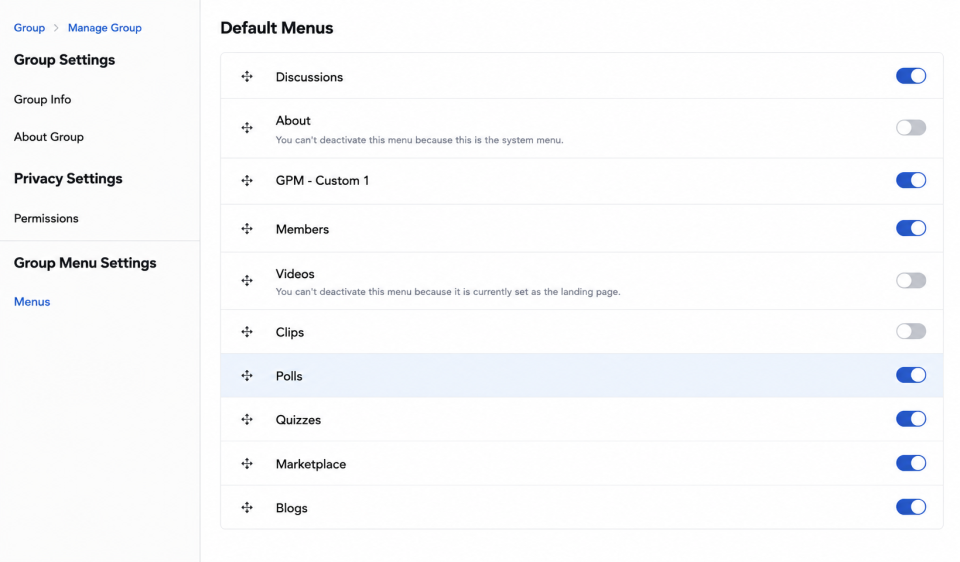
Administrators can now:
- Manage these menus directly from the Menu tab under Group/ Page Menu Settings section on the front end, making administration faster and more convenient without navigating through AdminCP.
- Enable or disable menu items for individual Groups and Pages.
- Reorder menus to better match their community structure.
This provides a much more flexible experience when organizing community navigation.
2. Email and SMS Notification Controls Are Available
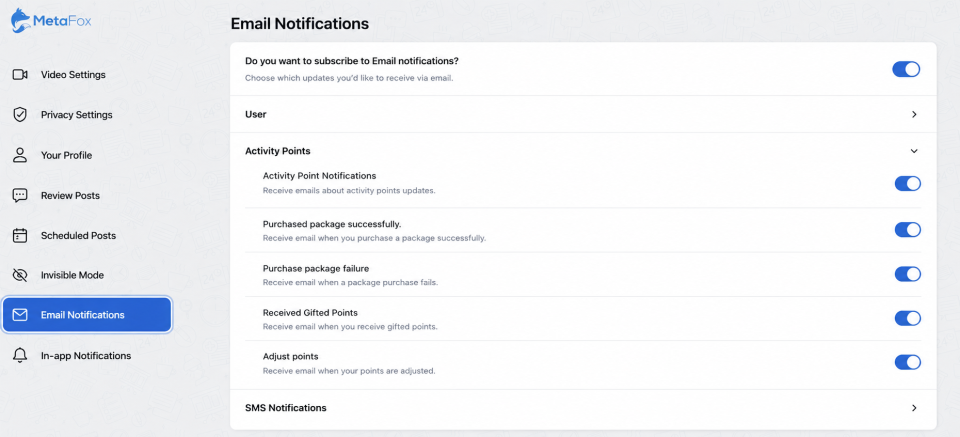
Notification management has also been improved. Users can now control their notification preferences, including:
- Email notifications
- SMS notifications (when integrated with supported SMS providers)
- In-App notifications
These preferences are managed through each user’s Account Settings, allowing members to customize how they receive updates from the communities they follow.
3. Blog Editor Now Supports Direct Image Uploads
Previously, one concern was the inability to insert images directly into blog content without using image URLs.
Unlike phpFox V4, which relies on CKEditor for inserting images and file attachments, phpFox V5 uses its own built-in Rich Text Editor to manage and embed media content.
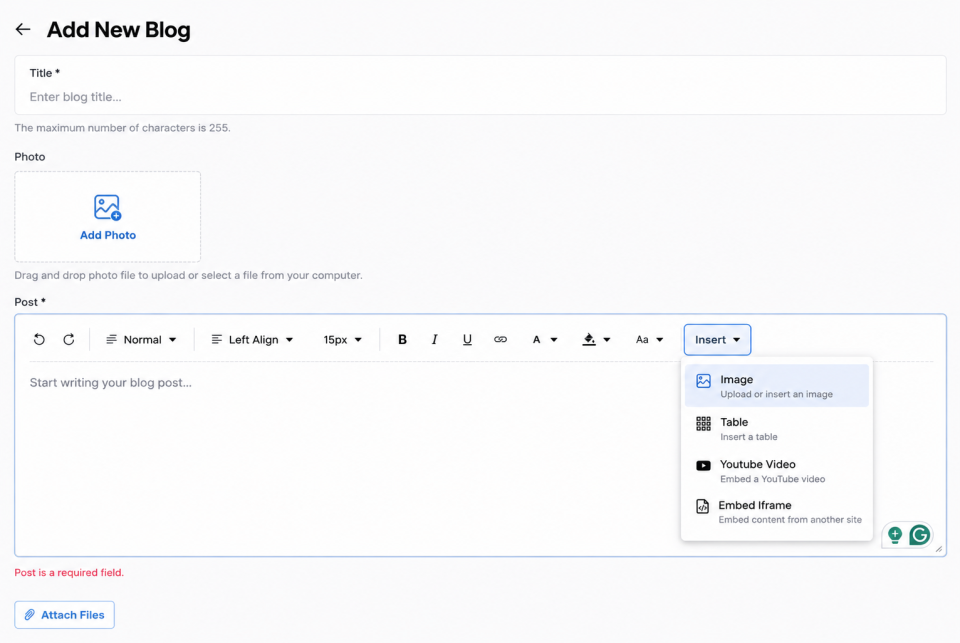
When creating a blog post, users can now:
- Upload images directly from their computer.
- Insert images using a URL if preferred.
- Place images naturally within the content as you write, creating a cleaner reading experience.
This makes publishing rich, engaging blog articles much easier than before.
4. User Custom Fields Continue to Expand
Many customers also asked whether phpFox V5 supports custom fields as search filters in the members search section, similar to phpFox V4. The answer is yes.
Administrators can create custom fields in Admin CP and include them on Search User.
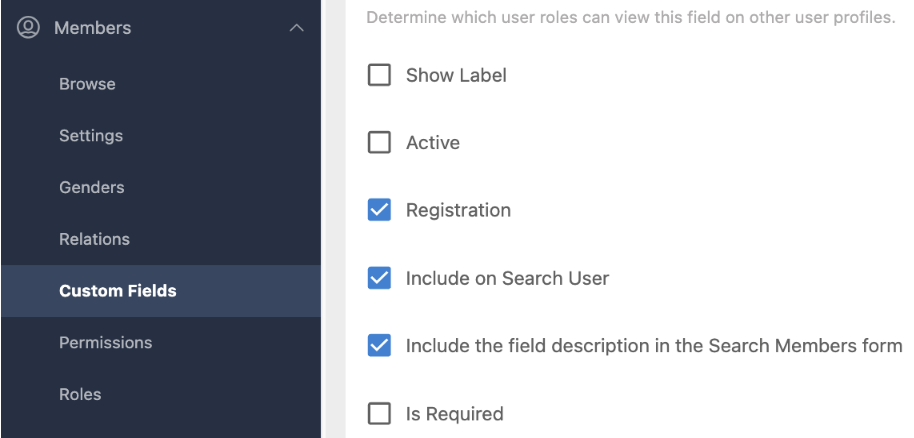
The AdminCP also supports various custom field types, including:
- Dropdown selections
- Multi-select fields
- Additional customizable profile fields
These options allow communities to collect the information they need while keeping registration and member profiles flexible.

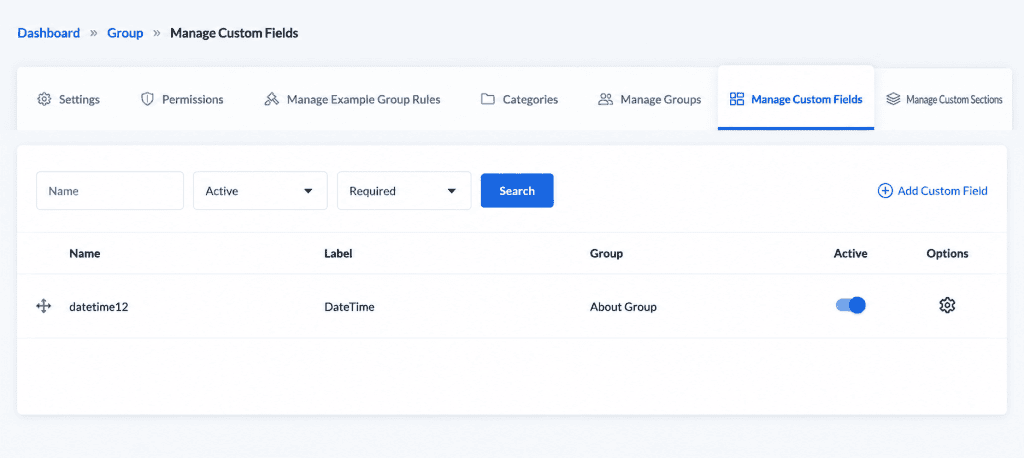
In addition to User Custom Fields, V5 also supports Custom Fields for Pages and Groups. Administrators can create custom fields and manage them in the AdminCP.
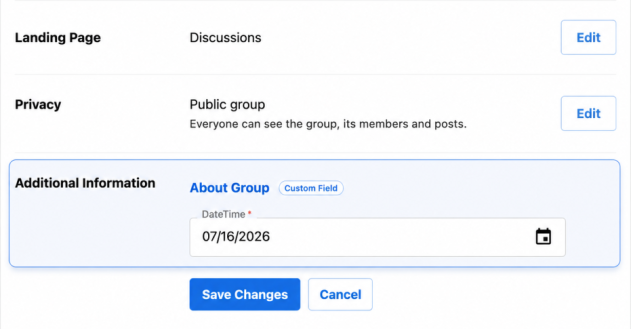
While Page and Group owners can fill in these fields from the front end.
Users can then search for Pages and Groups based on the configured custom field values.

Built Together With Customer Feedback
Every platform evolves, and phpFox V5 is no exception. Many of the improvements introduced over recent releases have come directly from conversations with existing phpFox customers. Your feedback helps us prioritize what matters most and guides the direction of future product development.
Our goal isn’t simply to build new features. It’s to make sure phpFox V5 supports the real-world workflows that our community owners rely on every day.
If you’ve been waiting for certain V4 capabilities before considering an upgrade, now is a great time to upgrade your V4 community to V5 and experience a modern platform with powerful new features, improved performance, and continuous updates.
Upgrade to phpFox V5 Today!
phpFox V5 continues to grow with every release, combining enhanced security, improved performance, and customer-driven enhancements that make community management easier than ever.
If you’re currently using phpFox V4, upgrade to V5 today and enjoy 25% OFF your V5 license with promo code UPGRADE25. Hurry! This offer ends on July 19. ⭐