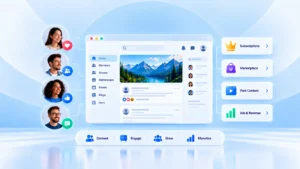
Tired of feeling stuck with Facebook Groups? You want a community where you set the rules, choose the design, and monetize from your members without worrying about platform limits.
Even if you’ve never built a community before, phpFox makes it simple. Our all-in-one solution is designed to help anyone start an Online Community for Beginners, with no tech skills required. In this guide, we’ll walk you step-by-step through the easiest way to create a thriving online community
Table of Contents
1. Define Your Community Purpose and Audience
1.1 Choose Your Type Of Community
Before building your online community for beginners, please take a moment to know what it’s all about and who it’s for. Your niche encompasses the topics you’ll discuss, the type of members you’ll attract, and the value you’ll deliver.
It could be:
- Learning: Those who love sharing knowledge or teaching. Examples include a language learning group, a coding bootcamp, or a photography masterclass.
- Networking: These groups often focus on collaboration opportunities, industry news, and advice. Think entrepreneurs, freelancers, or specialists in a specific industry.
- Monetization: If you’re aiming to generate income, you could create a paid content hub, membership site, or mentorship program.
- Interest-based: Community sharing passion, such as a sports team, a favorite musician, or hobbies like board games, gardening, or film discussion. These communities are built on enthusiasm, fan culture, and shared experiences.
1.2 Define Your Target Audience
After you’ve chosen your community type and niche, the next important step is to identify who you want to attract as members by asking some questions:
- Who do you want to invite?
- What are their needs or challenges?
- How can your community help them?
Knowing this helps you make important decisions about:
- What does your background on the platform look like
- Which phpFox features to fit
- How can your community provide value and support to them?
2. Key Features to Build an Online Community for Beginners in phpFox
2.1 Customization & Styling Tools Of Building An Online Community For Beginners
At phpFox, you can have complete control to customize the community page or even the entire site content. Therefore, you can create a unique and attractive platform by editing what appears on each page or content block.
Edit Your Content
You can easily modify the content shown on any page or content block. This flexibility lets you decide exactly what information or media your users see, and also control the types of content they’re allowed to share on your platform.
Customize Your Layout
Our latest version includes a powerful layout editor. You can:
- Pick from industry-standard preset layouts tailored to popular niches and audiences.
- Fully customize the layout to match your unique vision and goals.
This lets you build an online community for beginners that is easy to navigate and engaging for your members..
Style Your Community
phpFox lets you personalize your community by customizing colors, fonts, and typography. This means you can change the design of your platform to reflect your brand better and make it more inviting to your members.
Our styling options help you create a unique and attractive community identity that stands out and feels relevant to your users.
2.2 Administration Features of Buiding an Online Community For Beginners
phpFox offers a variety of powerful tools to help admins manage and customize their community platform easily. Here are some key features:
Theme Management
Take complete control over your site’s appearance by modifying headers, footers, sidebars, colors, fonts, backgrounds, borders, and animations.
Localization
You can use the localization feature to adjust your platform to the preferences and needs of your members based on their location and language. The localization feature includes features like active translation, allowed countries and currencies, and language settings.
Announcement
This feature allows you to create and send important announcements to all users on your platform. You can use this feature to communicate effectively with your user community and share valuable information, updates, events, and other related content.
SEO Friendly
phpFox helps your community get found on search engines with built-in SEO tools. You can manage meta tags, keywords, sitemaps, and robots.txt files to improve your site’s visibility and ranking.
2.3 Secure Your Community and Build Trust
When building an online community for beginners, phpFox gives you multiple choice of protection to keep your members secure and your community thriving
- Multi-Factor Authentication: Members enter a code from their phone when logging in.
- SMS Verification: Require members to enter a one-time security code sent to their phone before logging in. Even if a hacker has a password, they’re locked out without this code. It’s also a quick way to verify a user’s identity, ensuring your platform is filled with real people, not fake accounts or bots.
- Captcha: Stops bots from creating fake accounts. New members must complete a simple challenge (like typing distorted letters, solving a quick math problem, or checking a box) to continue.
- Platform Privacy: You decide who can see profiles, posts, and member details. All settings are accessible right from Account Settings, giving you full control over what members share.
- Web Security Scan: PhpFox regularly scans its platform for web security vulnerabilities based on the Open Web Application Security Project (OWASP) guidelines. This helps to ensure that the platform is up-to-date and protected against all kinds of threats.
3. Engage Your Members
Your community site is live. The goal here is not just to get sign-ups, but to make members feel welcome and excited to participate.
3.1 Invite Your Members
Start with your network:
- Invite your existing network, like friends, colleagues, and past customers.
- Use phpFox’s built-in Invite feature to send invitations directly from your platform.
- Share it on your social media channels (Facebook, LinkedIn, Instagram, X, etc.)
- Post it in relevant online groups or forums (where self-promotion is allowed)
Pro tip: Offer a small incentive for early joiners, like exclusive content or free access to a paid feature.
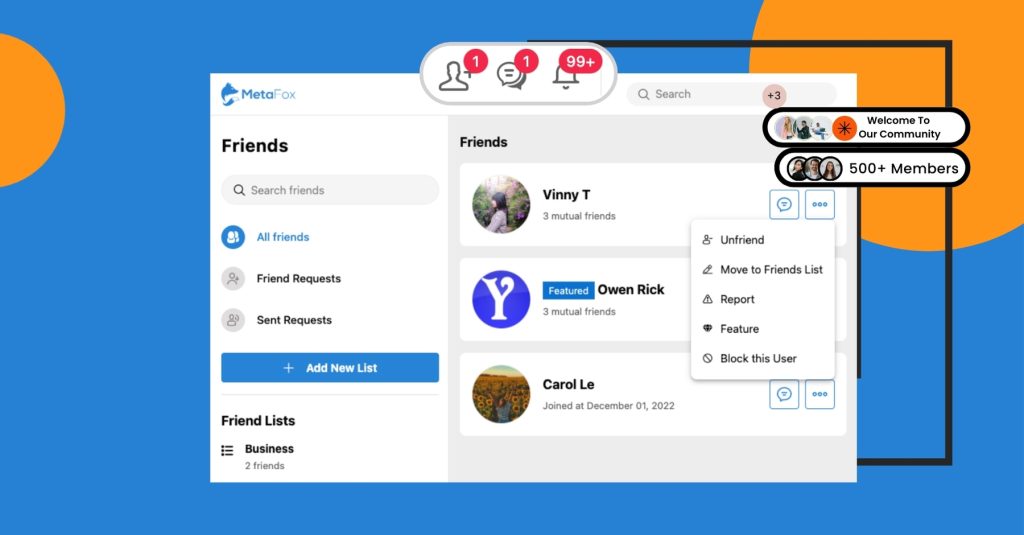
3.2 Increase Engagement to Build an Online Community for Beginners
PhpFox includes engagement tools like:
- Chat: Instant messaging lets members check in, brainstorm, or have casual conversations; chat keeps the community buzzing.
- Likes, Comments, Shares, and Reactions: A simple “like” or reaction can start a deeper conversation. Comments keep discussions flowing, and sharing helps great content reach more members.
- Photos & Videos: phpFox supports photo albums, likes, comments, and filters, plus video uploads or embeds from YouTube, Vimeo, Facebook, and more
- Blogs & Forums: Organize discussions into topics, making it easy to find and join conversations on shared interests.
- Premium Apps ( ChatPlus, Live Streaming, Stories): Available in phpFox ‘s App Store
4. Monetize from Your Online Community
4.1 Ways to Make Money
With phpFox, you can choose what works best for your audience:
- Subscriptions: Create membership subscriptions that charge your users for accessing exclusive content and features. You can customize member groups, manage subscriptions, and compare them
- Marketplace: Let members buy and sell goods or services. Turn your community into a social marketplace where you can easily upload and sell their products.
- Advertising: Let’s create and manage ads that reach your ideal customers. You can target your ads by gender, location, age, and languages, and control your budget and settings from the Admin CP
- Activity Points: A gamification app that rewards your social network members with virtual points for their interactions. You can use these points as a website currency to manage your members and offer them various incentives.
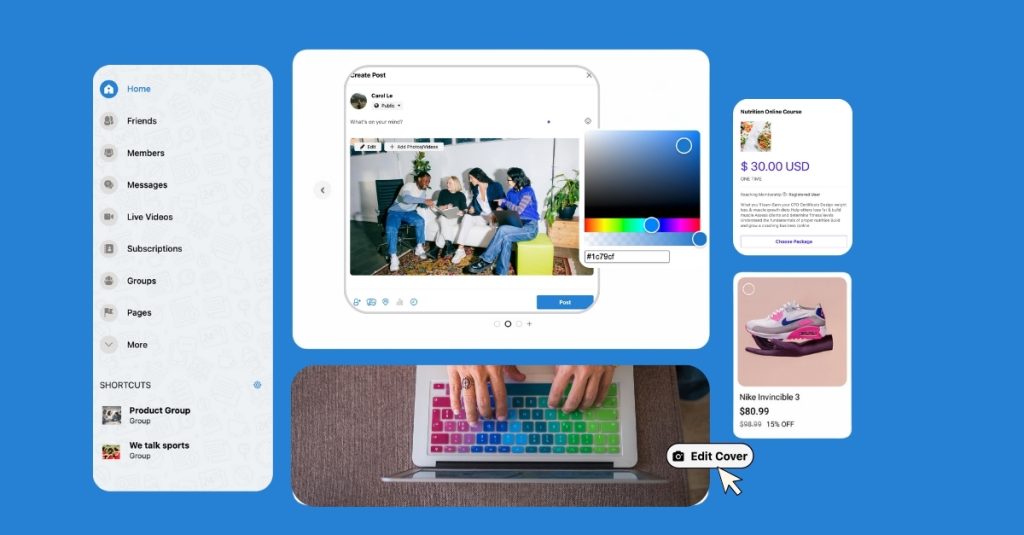
4.2 Easy Payment Methods
phpFox supports:
- PayPal: A trusted option for millions of users worldwide.
- Apple Pay: Let iOS users pay in just a tap.
- Google Pay: Fast, secure checkout for Android and web users.
- E-Wallets: Convenient for members in regions where digital wallets are popular.
By supporting multiple payment methods, your community can welcome members from almost anywhere in the world without payment barriers
>>> Explore Some standard Payment Features for Business in phpFox
5. Access all devices
Designed to work seamlessly across all devices, phpFox ensures your community stays connected and engaged, no matter where they are.
- Mobile-First Web App: Our web app is designed for mobile devices and adapts to any screen size.
- Native iOS & Android Apps: Members can get push notifications, join events, and chat instantly.
- Web App: Provide you with a responsive and enjoyable mobile browser experience
Conclusion
To build an online community for beginners, you need the right tools, a clear vision, and engaging features for members to connect. phpFox gives you everything, from customization and security to monetization and mobile access.
Start your free trial today and turn your idea into a thriving, connected community. Explore the possibilities and get started with phpFox today!