
The phpFox script supports uploading videos. And as admin of the site, you’d be able to change the size limit for all the video uploads. In this article, you will learn on how to increase the video size upload in your phpFox site.
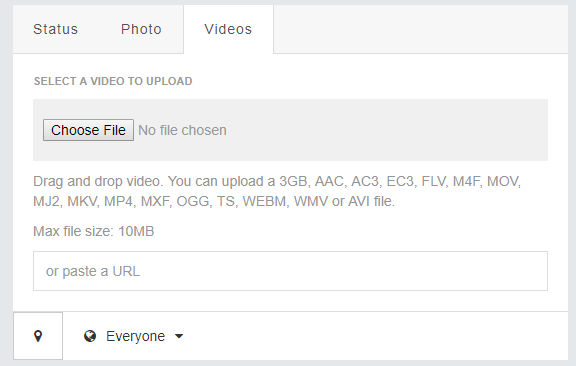
Simple steps on how to increase the video size upload in phpFox
First, you need to login to your site as an Admin.

Go to User Groups to manage the settings of the user group. By default, phpFox script has 4 different UserGroups as shown in the picture below. But you can add more user groups as you want.
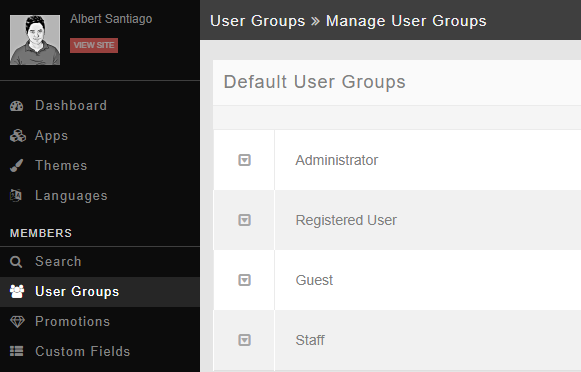
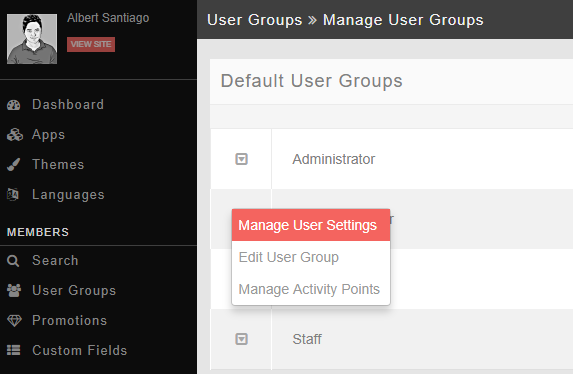
Select the specific UserGroup that you would like to increase the video size upload. In the picture below, I am trying to manage the user settings of the Registered User.
After selecting the specific user group, select the Video under the Core Apps settings.
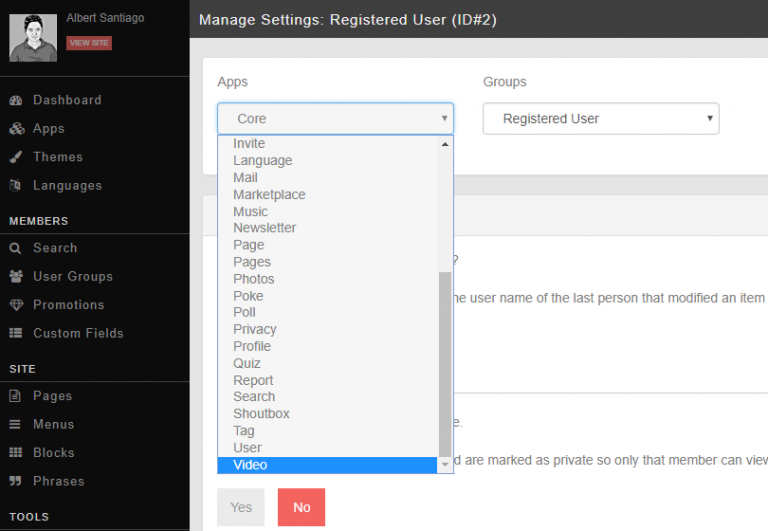
By default, the script maximum video file size under the Registered User is 10MB. You can change this value to any value you want. In this case, let’s try to change it to 100MB so that all the Registered Users belong to this UserGroup can upload videos up to 100MB.
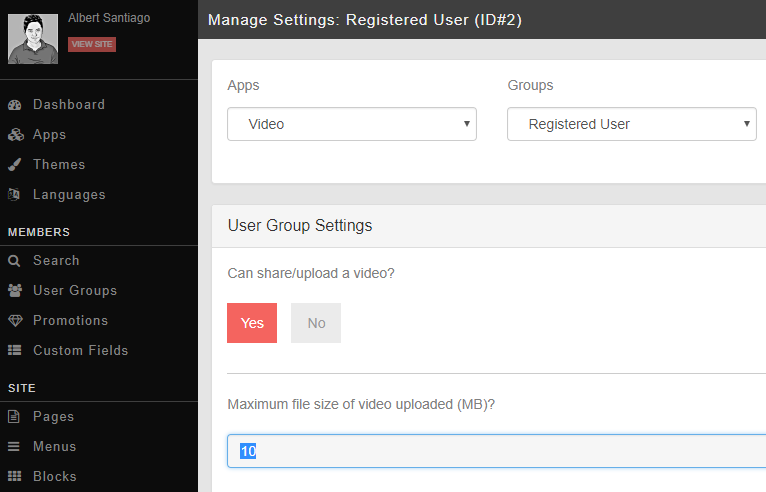
After changing the value of Maximum file size of video uploaded (MB) to 100, Scroll down and click SAVE CHANGES.
After Saving the changes, you will need to clear the cache in order for your changes to take effect. Just go to MAINTENANCE > CACHE MANAGER > click CLEAR CACHE button.
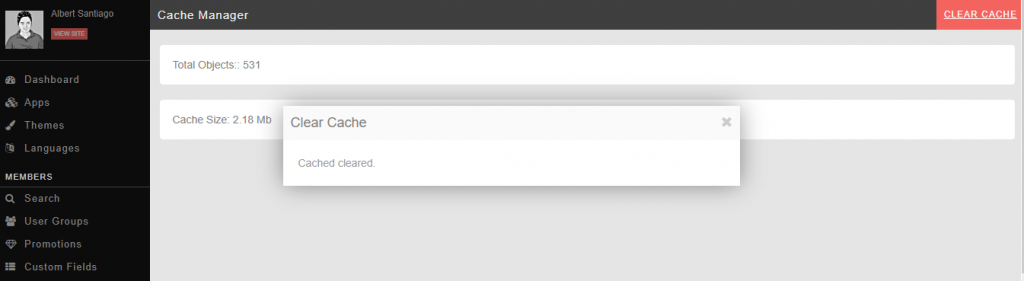
After clearing the cache, you can go back to your site’s frontend and check if the video upload size setting was changed.
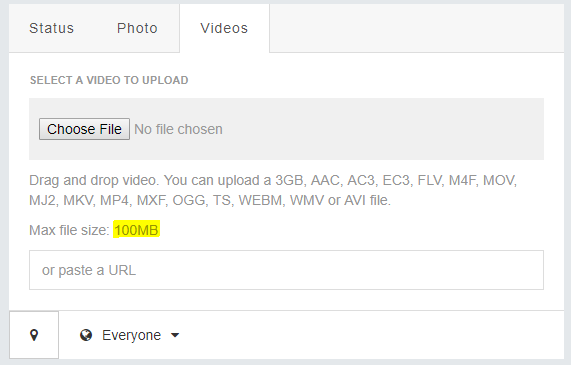
As you can see, the Max file size for the video upload was changed to 100MB.
From now on, you will be able to control the file size of the videos your members can upload to your site.
Request for Tutorials
If you have any blog requests on how to do things on your site, please submit a ticket in your client area or chat with our agent on our website and we will try to post them all in our future blogs. Moreover, you can check our phpFox Docs for more tutorials.