When starting a brand new Social Network you want to be unique in order to stand out and to get people to notice your community. In order to make your niche Social Network unique, you need to change a few settings in phpFox to work the way you want it to work. A lot of people want things easy-going, free and instant; more than often that is not the case. Starting a brand new website requires time, effort and determination. It is like starting most brands from scratch, it requires work and constant promotion in order for it to get people’s attention.
The greatest benefit with phpFox is that it has so many features. So many in fact it can be overwhelming to your new members.
Make your niche Social Network unique and easy to use
If you want to make your niche Social Network unique and super-easy to use, you should limit the features they can access in the beginning. Then you can gradually enable more features to make things a little exciting for your members, that way they will feel like they have grown with your community along the way. It is also great to limit features in the beginning so that it doesn’t hog your server resources.
For an example, if you don’t need the Video Module, you should definitely disable it, as video streaming is one of the most resource hogging feature on phpFox. Another resource eater is the Instant Messenger.
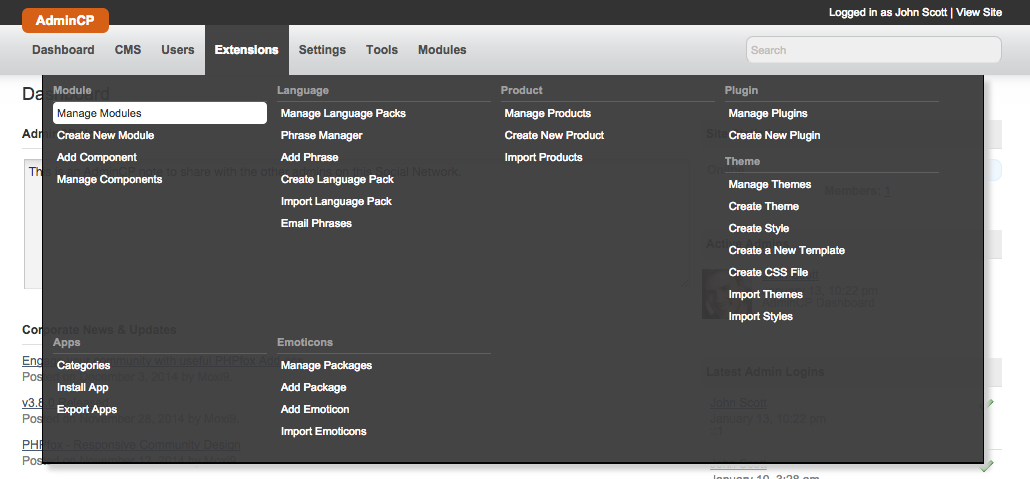
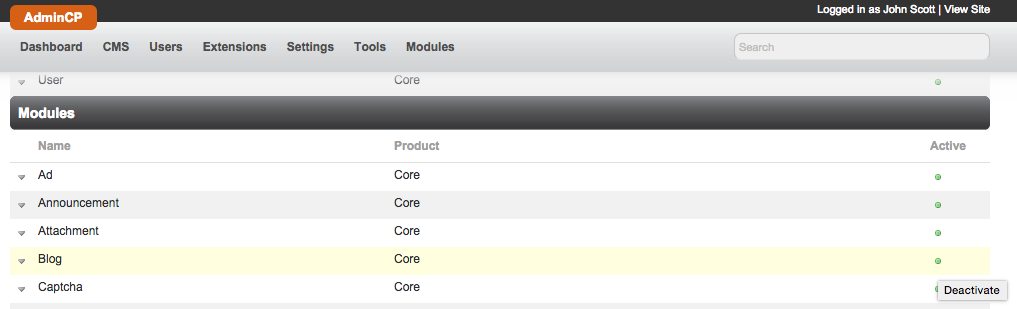
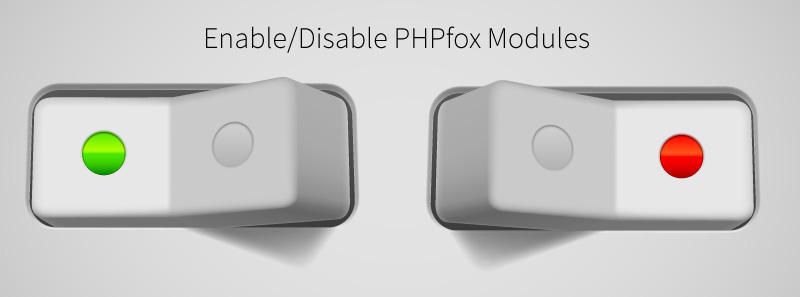
To enable or disable Modules in phpFox, you need to go to your AdminCP, then Extensions >> Modules >> Manage Modules. From there you click on the Green Button (means active) if you want to disable it. The Green Button will then turn into a Red Button, meaning inactive.