
From Community to Commerce: How to Build a Successful Ecommerce Experience with phpFox Advanced Marketplace
Your online community can be more than a place to connect, share ideas, and start conversations. It can also become a place where members discover products, connect with trusted sellers, and shop naturally as part of their everyday interactions.
Imagine running an online beauty community.
Every day, members share skincare tips, review products, post tutorials, and join live discussions.
One member watches a video featuring a skincare product, finds it interesting, and decides to buy it.
Instead of leaving the community to search for the product on another website, they can view its price, check reviews, and add it to their cart while watching the video.
That’s the idea behind Community Commerce: turning everyday community engagement into meaningful shopping opportunities.
With phpFox Advanced Marketplace, you can bring this shopping experience directly into your online community.
In this guide, we’ll explore practical ways to use Advanced Marketplace to help sellers reach customers, create more shopping opportunities, and manage their e-commerce activities more efficiently.
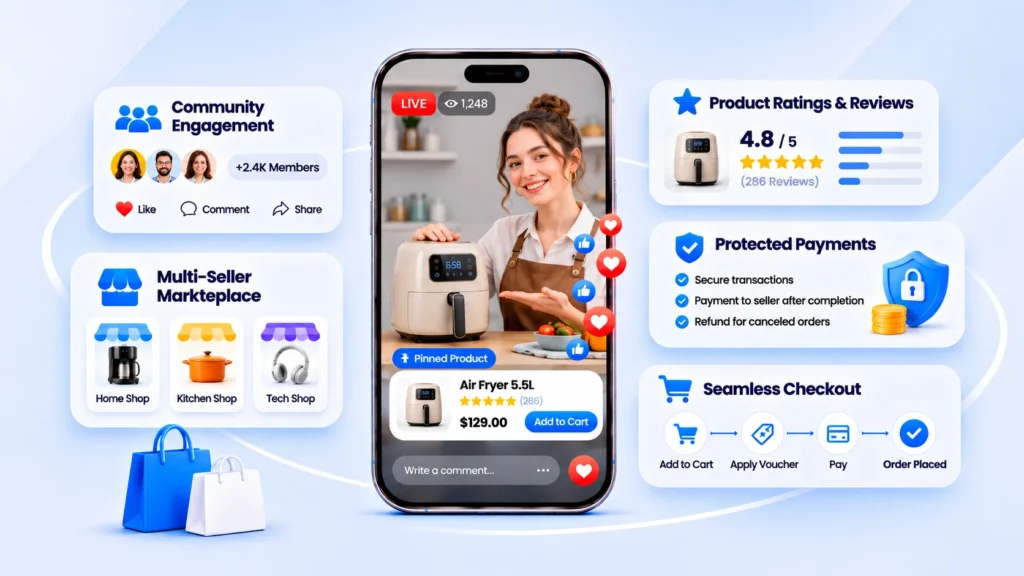
Start with Your Community, Not Just Your Products
Traditional ecommerce stores usually begin by listing products and finding ways to attract visitors.
Community Commerce works a little differently.
Your potential customers may already be part of your community.
They joined because they share common interests, whether that’s beauty, fitness, technology, education, or lifestyle.
They’re already reading posts, asking questions, watching videos, and exchanging recommendations.
This creates an opportunity to introduce shopping experiences that feel relevant rather than intrusive.
Choose products that match your community
For example:
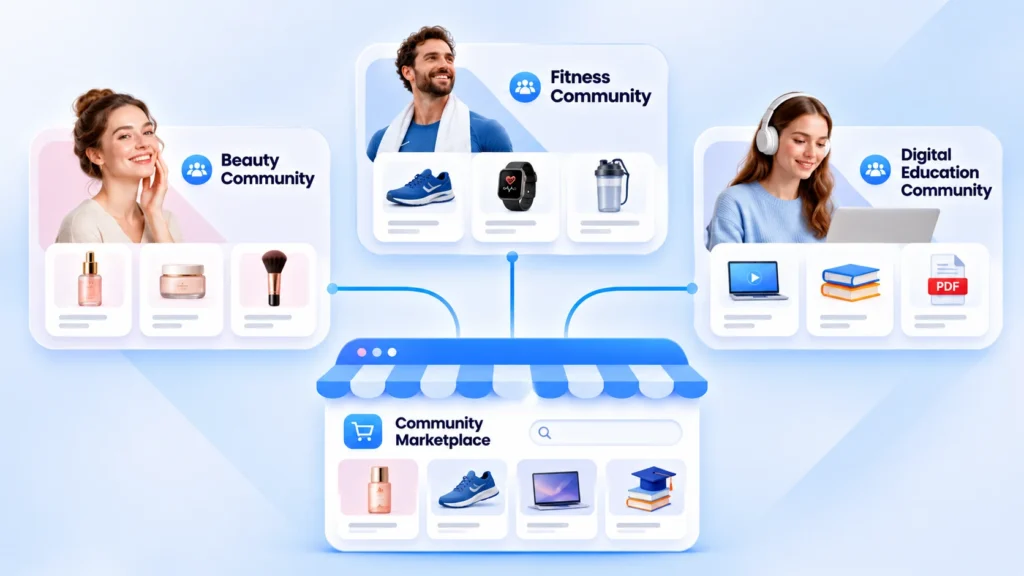
- Beauty communities: Skincare products, cosmetics, and beauty accessories.
- Fitness communities: Running shoes, workout clothing, and training equipment.
- Education communities: E-books, learning materials, and digital templates.
- Creative communities: Design templates, music, and other digital resources.
Instead of filling your marketplace with unrelated products, start with categories your members already care about.
Quick tip: Pay attention to the topics your members discuss most often. These conversations can help you identify which products or services might be most relevant to your community.
Turn Videos and Live Streams into Shopping Experiences
A product listing can tell customers what an item looks like.
A video can show them how it works.
And a live stream allows sellers to demonstrate products while interacting with viewers in real time.
That’s what makes video content such a useful part of Community Commerce.
Let members shop directly from Clips and Live Videos
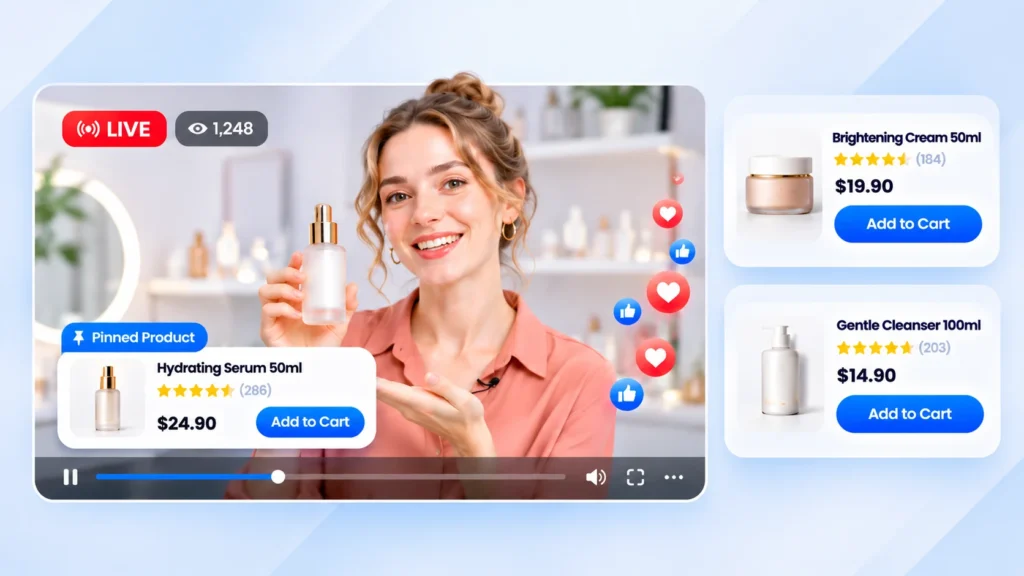
With Advanced Marketplace, products can appear directly on Clips and Live Videos, complete with prices and ratings.
Viewers can add products to their carts without interrupting playback.
During a live stream, sellers can also pin a featured product, making it instantly visible to everyone watching.
Creators can tag their own marketplace listings in their Clips and Live Videos, helping viewers discover products naturally through content.
Example: A live skincare demonstration
Imagine a seller hosting a live stream in your beauty community to introduce three skincare products.
Instead of asking viewers to search for each product separately, the seller can:
- Introduce the first product and pin it during the live stream.
- Let viewers see its price and customer ratings.
- Encourage interested viewers to add it to their carts without leaving the video.
- Move on to the next product and update the pinned listing.
The shopping experience stays connected to the conversation.
How to make live shopping more engaging
Don’t turn your live stream into a long list of product advertisements.
Focus on useful content first.
For example, a skincare seller could start with a topic such as:
“How do you build a simple skincare routine for beginners?”
As the discussion progresses, they can introduce relevant products, demonstrate how to use them, and answer viewers’ questions.
Quick tip: Prepare your product list before going live. Pin the product you’re currently discussing so viewers can easily find the right item.
Make Shopping Easier with One Cart for Multiple Sellers
Your community marketplace may have many different sellers.
For example, in a fitness community, one seller might offer running shoes, another sells sportswear, and a third specializes in workout accessories.
If customers have to complete separate checkouts for every seller, shopping quickly becomes inconvenient.
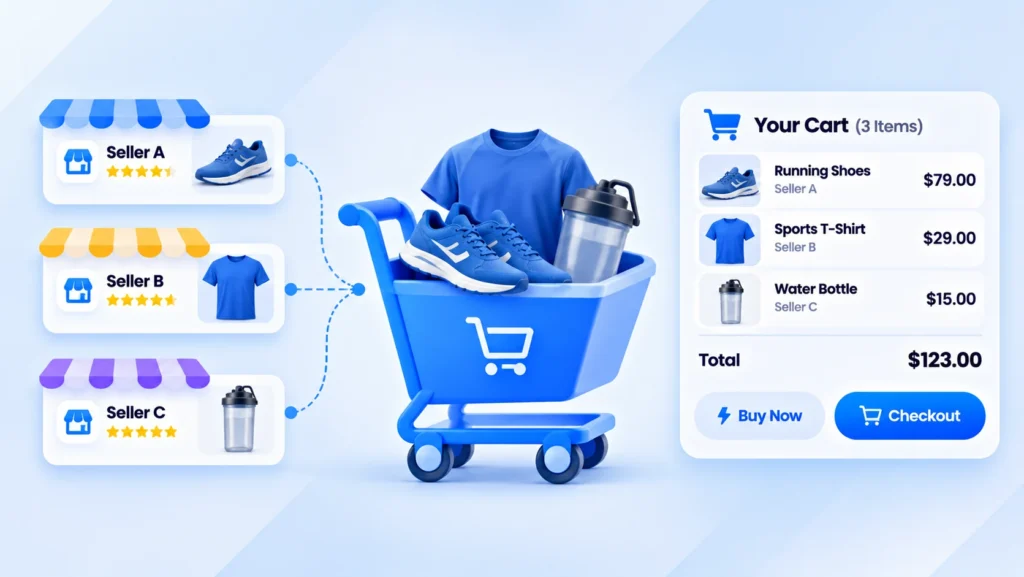
Advanced Marketplace addresses this with One Cart for Every Seller.
One cart, multiple sellers, one checkout
Customers can add products from different sellers to the same cart and pay for everything in a single checkout.
For customers who want to purchase just one item quickly, the Buy Now option lets them skip the cart and go straight to checkout.
The checkout process can automatically fill in their most recently used shipping address, and buyers can leave individual messages for each seller.
Depending on your website’s configuration, customers can pay using money or Activity Points through the payment methods your site supports.
Turn product recommendations into shopping opportunities
Instead of promoting individual products separately, consider creating helpful content that brings products from different sellers together.
For example, a fitness community could publish:
“Everything You Need for Your First 10K Run”
The article might recommend running shoes, comfortable sportswear, a water bottle, and a few essential accessories.
Members can explore the recommendations and add products from different sellers to the same cart.
This connects useful community content with a convenient shopping experience.
Build Customer Trust with Reviews and Protected Payments
Trust matters in every marketplace, especially when customers are buying from different sellers.
A member might discover a product through a video or live stream, but before purchasing, they may still want to know what other customers think.
That’s why product reviews and transparent order handling are important.
Help buyers make informed decisions
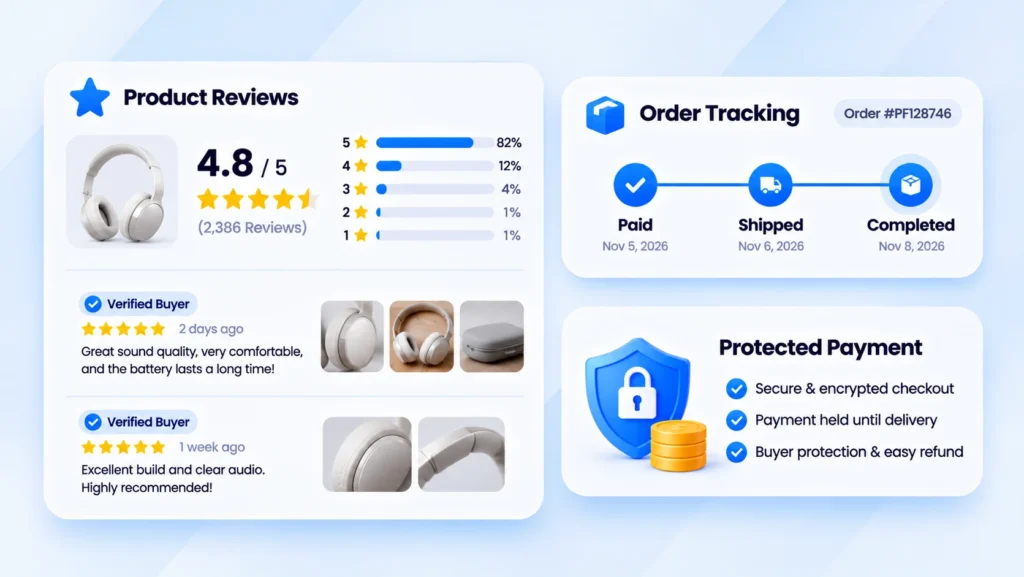
Advanced Marketplace allows shoppers to view a product’s average star rating before purchasing.
After buying, members can share their experiences through written reviews, photos, and file attachments.
A Verified Buyer badge helps identify reviews submitted by people who actually purchased the product.
Customers can also filter reviews by star rating and explore the rating breakdown.
These details make it easier to compare products and understand other buyers’ experiences.
Protect payments and keep orders transparent
Advanced Marketplace also supports protected payments.
Sellers receive payment only when an order is completed. If a paid order is canceled, the buyer receives a refund.
Even when customers purchase products from multiple sellers in one checkout, each seller receives a separate order.
These orders can be shipped, tracked, and canceled independently.
Buyers can follow their orders from payment to delivery, view tracking numbers when sellers provide them, and receive notifications when orders are placed, shipped, completed, or canceled.
Encourage honest customer feedback
Consider making product reviews a natural part of your community culture.
For example, members of a beauty community could share photos, describe their experience using a product, and explain what they liked or disliked.
These reviews help future customers while creating useful content for the community.
Quick tip: Encourage honest, detailed reviews rather than focusing only on five-star ratings. Authentic feedback is more valuable for building long-term trust.
Use Vouchers to Encourage More Purchases
Discounts can be a useful way to attract shoppers, especially during special events or promotional campaigns.
In a marketplace with multiple sellers, promotions can happen at both the individual shop level and across the entire platform.
Advanced Marketplace supports both.
Shop Vouchers vs. Platform Vouchers
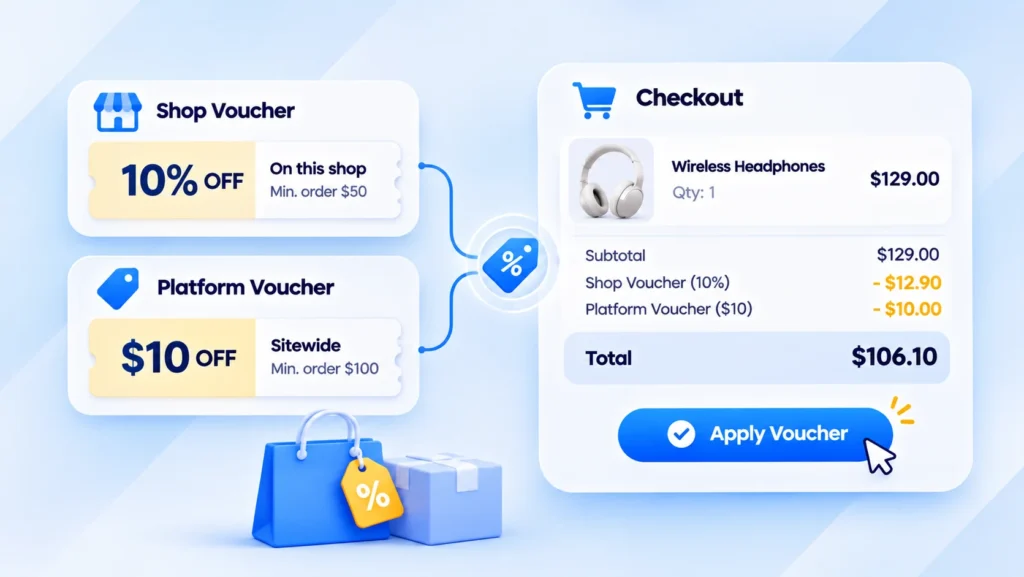
Shop Vouchers are created by individual sellers. They can apply to all products in a shop or only selected listings.
Platform Vouchers are offered by the website and can work across different sellers.
Customers can combine one voucher per seller with one platform voucher in the same checkout.
Discounts can be percentage-based or fixed amounts, with conditions such as minimum spending requirements, validity dates, and usage limits.
Example: Community Shopping Weekend
Imagine running a lifestyle community.
You could organize a Community Shopping Weekend campaign.
A skincare seller might offer 10% off selected products, while an accessories seller provides a fixed discount on orders above a certain amount.
At the same time, the community platform could offer an additional voucher for eligible purchases.
Customers can use the applicable offers during checkout, subject to the configured conditions.
Make promotions part of community activities
Instead of offering discounts without context, connect them to activities members already enjoy.
For example, you could run promotions alongside live shopping events, themed shopping weeks, or community celebrations.
Quick tip: Start with short campaigns and clear usage limits. Review the results before deciding whether to expand the promotion.
Expand Your Marketplace with Digital Products
Not every product needs packaging or shipping.
In many communities, some of the most valuable products are knowledge, creative resources, and digital content.
For example:
- A financial coach sells a budgeting spreadsheet template.
- A teacher offers an e-book or educational resources.
- A designer sells reusable design templates.
- A music creator sells downloadable audio content.
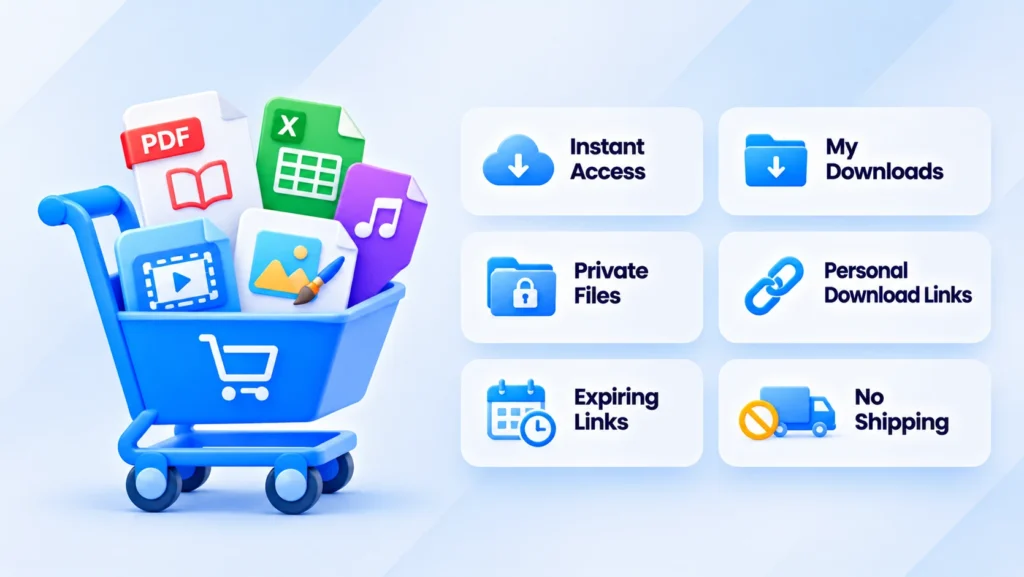
Advanced Marketplace supports Digital Products delivered as files or links.
Once payment is completed, buyers can access their purchases immediately without waiting for shipping.
Purchased digital products are available through My Downloads, making it easy for members to find their content on their phones.
Files remain private, and download links are personal and expire after a short period.
How to introduce digital products into your community
Start with resources that solve specific problems.
For example, in a small business community, experienced members could offer budgeting templates, expense trackers, or practical business guides.
Sellers can publish educational posts explaining how these resources work and then offer the complete digital products through the marketplace.
This makes commerce a natural extension of knowledge sharing.
Quick tip: Clearly explain what buyers will receive, including file formats, contents, and intended use. Good product descriptions are especially important for digital goods.
Help Sellers Manage Their Stores More Efficiently
As sales increase, sellers need more than product promotion tools.
They also need ways to manage inventory, process orders, and keep customers updated.
Advanced Marketplace includes features designed to support these daily activities.
Manage inventory and prevent overselling
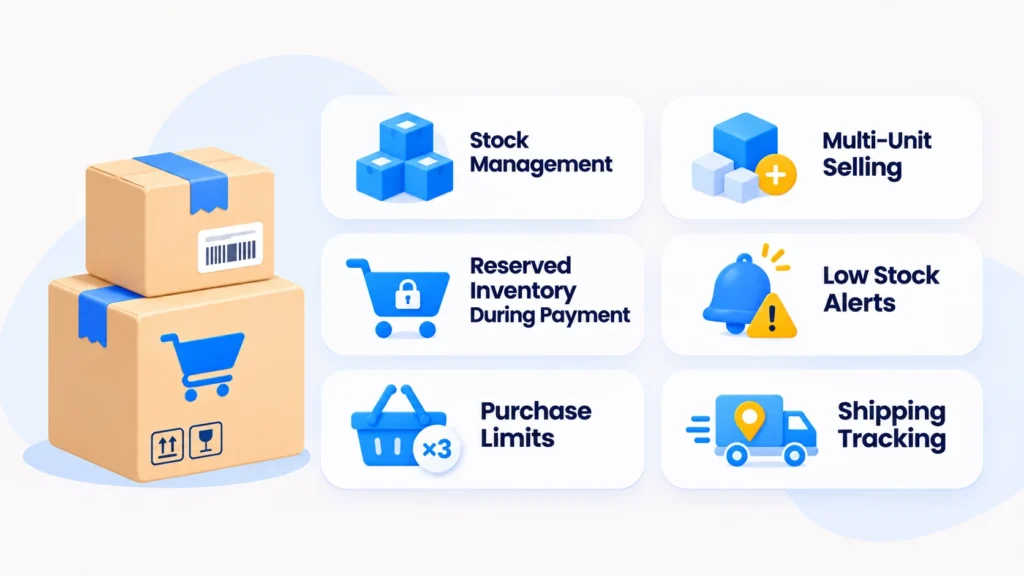
Sellers can list products with multiple units available.
When a product sells out, its listing closes automatically and reopens when the seller restocks.
During checkout, units are temporarily reserved while buyers complete payment, helping prevent overselling.
Sellers can also receive low-stock and sold-out alerts, review inventory history, and set purchase limits for individual buyers.
Manage orders with My Sales
The My Sales area brings seller orders together in one place.
Sellers can review their orders, mark them as shipped, and add tracking numbers.
This can be especially helpful for community members running small shops without large operations teams.
A simple workflow for new sellers
Here’s a practical routine:
- Create product listings with accurate inventory quantities.
- Check prices, product information, and purchase limits.
- Monitor new orders through My Sales.
- Prepare and ship purchased products.
- Mark orders as shipped and provide tracking information when available.
- Monitor stock alerts and restock products as needed.
Quick tip: Encourage sellers to review their orders and inventory regularly. Reliable order handling can help create better customer experiences and encourage repeat purchases.
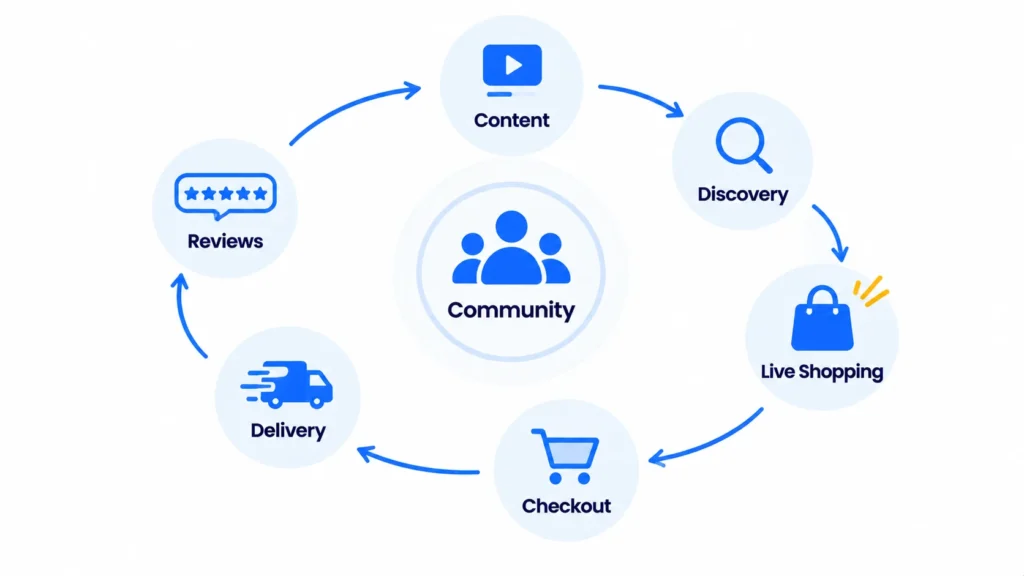
Connect Everything into One Community Shopping Journey
The real value of Community Commerce doesn’t come from any single feature.
It comes from connecting community conversations, content, shopping, and customer experiences.
Let’s imagine a typical customer journey in a beauty community.
Step 1: Discovery
A member watches a skincare Clip and notices a product tagged in the video.
Step 2: Research
They check the product’s price, average rating, and reviews from previous buyers.
Step 3: Engagement
They join a live stream to see the seller demonstrate the product and answer questions.
Step 4: Shopping
They add the pinned product to their cart and continue browsing products from other sellers.
Step 5: Checkout
They apply eligible vouchers and complete their purchase through a single checkout.
Step 6: Order Tracking
They receive order notifications and follow the status of their purchases.
Step 7: Sharing Experiences
After using the product, they return to leave a review and share photos with other community members.
This creates a valuable cycle:
Community → Content → Discovery → Shopping → Reviews → Community
Content helps members discover products.
Shopping creates opportunities for new customer experiences.
And those experiences can become reviews and recommendations that help other members.
Over time, this cycle can support a more active and commercially sustainable community.
Measure What Matters for Your Marketplace
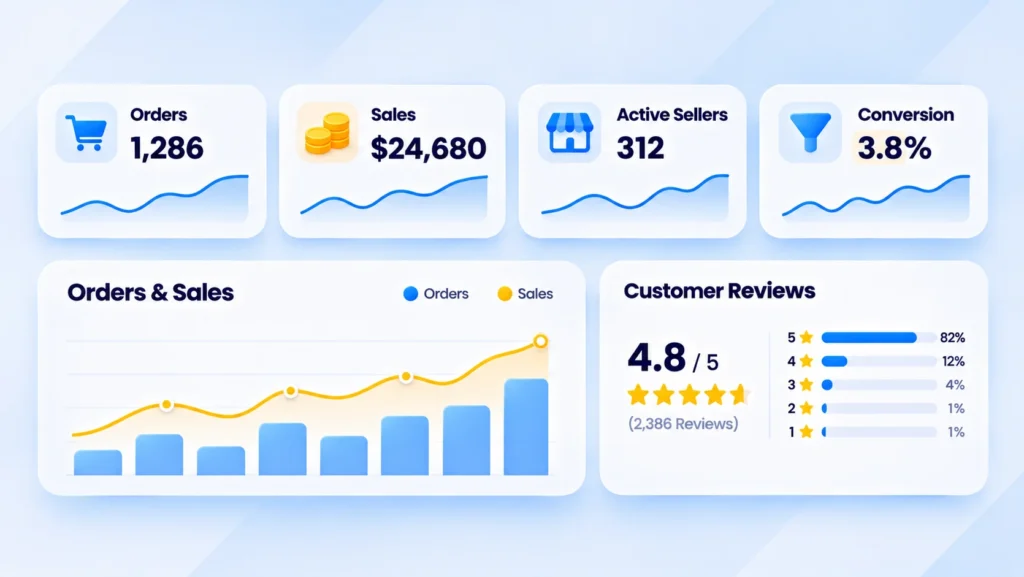
Once your marketplace is running, don’t focus only on how many products are listed.
It’s also important to understand how members interact with products and how those interactions contribute to sales.
Here are some useful metrics to consider.
| Category | Suggested metrics |
| Seller activity | Active sellers, listed products |
| Shopping content | Clips and live streams featuring products |
| Conversion | Orders, viewer-to-buyer conversion rate |
| Revenue | Gross merchandise value, average order value |
| Operations | Completed orders, canceled orders, processing time |
| Customer trust | Product reviews, average ratings |
| Retention | Repeat purchase rate |
These are recommended business metrics, not a confirmed list of built-in Advanced Marketplace reports. Some may require additional analytics tools or integrations.
Start with realistic goals
If you’re launching a new community marketplace, begin with a manageable pilot.
For example, you might start with 10 active sellers, 50 product listings, and a few live shopping sessions during the first month.
Then review which activities generate purchases, which products attract attention, and where customers experience difficulties.
Use those insights to improve your content strategy, promotions, and seller support.
Quick tip: Don’t try to scale everything immediately. A smaller marketplace with active sellers, relevant products, and a good shopping experience can provide a stronger foundation for long-term growth.
Start Building Your Community Commerce Experience
Building a successful online marketplace is about more than adding shopping features to your website.
It’s about connecting three important elements:
An engaged community, relevant products, and a convenient shopping experience.
With phpFox Advanced Marketplace, you can bring these elements closer together.
Members can discover products through Clips and live streams, shop from multiple sellers in one cart, use vouchers, track orders, and share their experiences through reviews.
Sellers can manage inventory, process orders, and offer both physical and digital products.
And for community owners, this creates an opportunity to build a business where content, engagement, and ecommerce support one another.
You don’t need to launch everything on day one.
Start with a relevant product category, a few active sellers, and content that genuinely helps your members.
Then grow your marketplace based on real customer needs and measurable results.
Ready to Bring Ecommerce into Your Community?
Discover how phpFox Advanced Marketplace brings shopping, content, and community engagement together on one platform.
Explore phpFox Advanced Marketplace
Note: Some features and payment methods depend on your phpFox website configuration.