
If you’re an online educator, course creator, or digital marketer, you know that creating and launching online course is both thrilling and daunting. There’s a lot to think about, from designing engaging content to choosing the right platform and tools to support your venture.
The good new is: you don’t have to do it all alone! There’s a tons of awesome tools and resources out there designed to make launching your course a smooth and stress-free process. In this blog post, we’ll guide you through the must-haves tools and resources that will transform you from course creator to course-launching pro!
Table of Contents
1. Creating and launching online course: Brainstorming Ideas and Market Research
1. Idea Generation
When it comes to creating a digital product, coming up with ideas can feel easy—sometimes, you may have too many to choose from! The real challenge lies in picking the right one and developing it. Tools like Jamboard and Xmind can make brainstorming and idea generation easier by offering interactive, visual collaboration features.
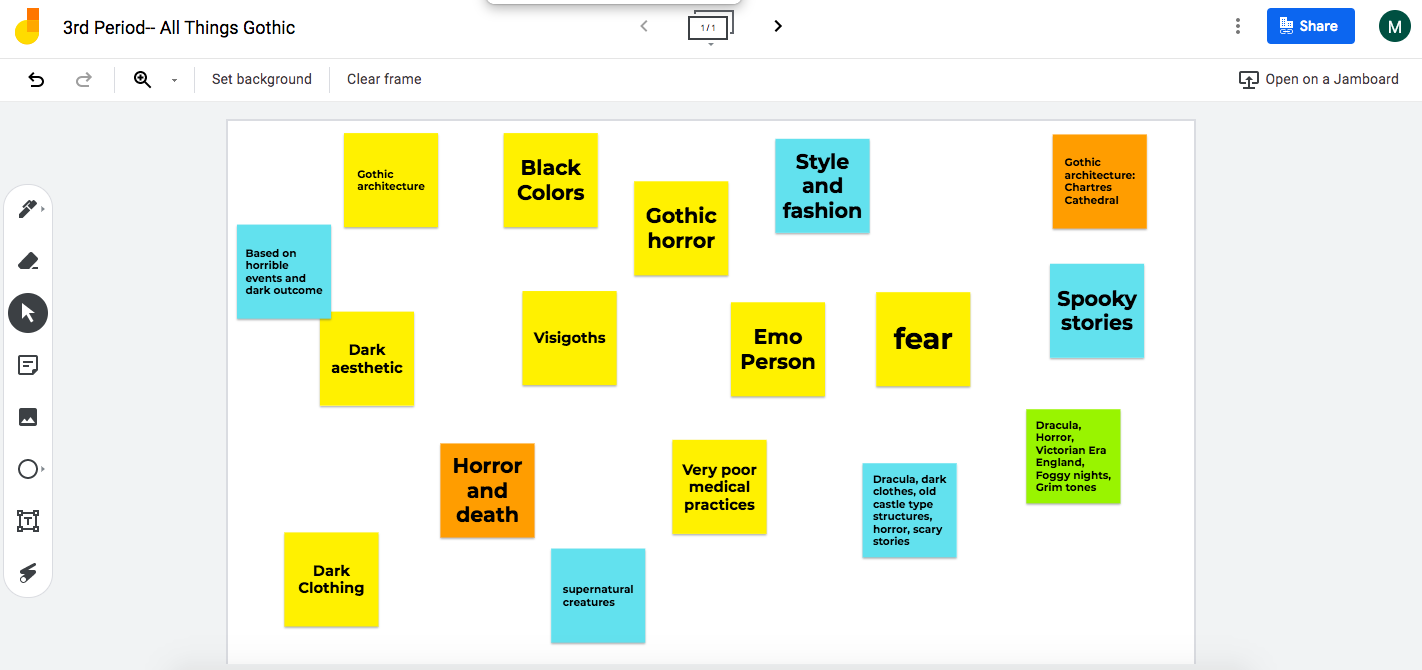
Jamboard: Jamboard is a digital whiteboard tool by Google that allows for real-time collaboration. Its intuitive, cloud-based interface lets users create, sketch, and brainstorm together from any device, making it a great option for team brainstorming sessions. You can drop images, sticky notes, and drawings into the board while collaborating seamlessly with others. It’s particularly useful for educators, teams, and creators looking to gather ideas visually and interactively.
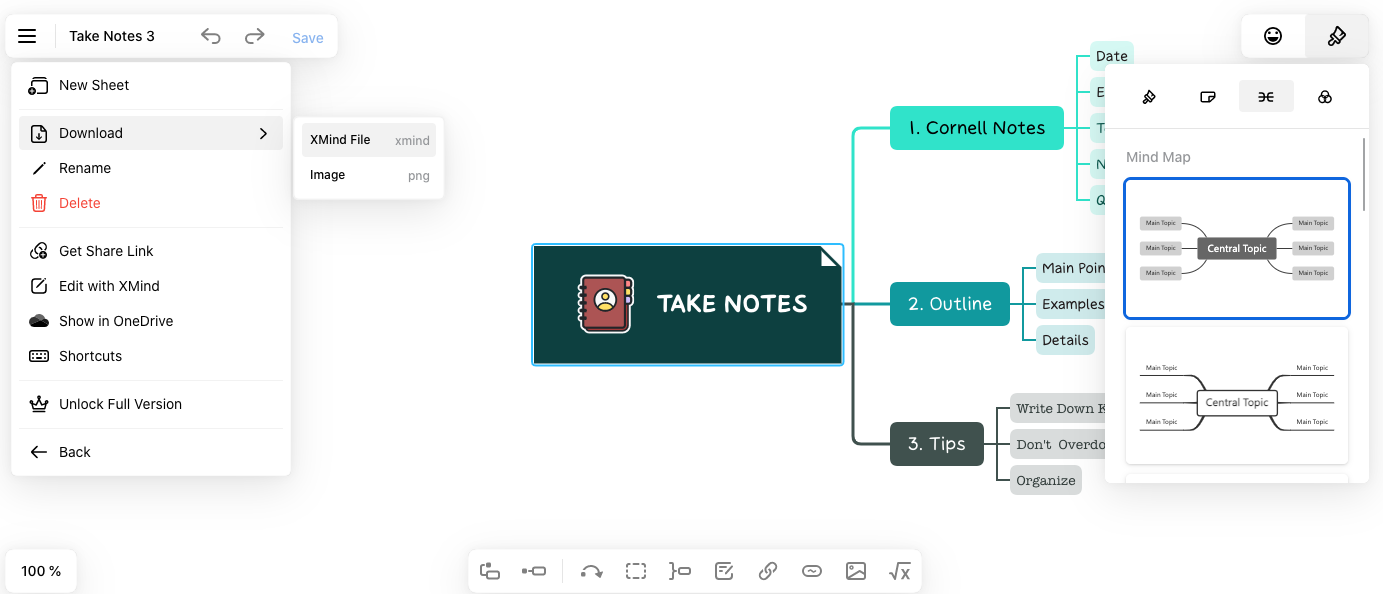
Xmind: Xmind is a powerful mind-mapping tool designed to help users organize thoughts, ideas, and projects visually. It offers a range of templates, including mind maps, fishbone charts, and timelines, making it ideal for anyone who wants to structure complex ideas in a more digestible format. Xmind helps with brainstorming, planning, and even tracking the progression of ideas. Its clear design and versatility make it useful for creators, business owners, and individuals looking to flesh out and visualize concepts in a structured way.
2. Market Research
Once you’ve got a few product ideas brewing, it’s time to put them to the test with some simple market research. Even if you’re not a marketing pro, these easy tools can help you tap into the minds of your potential customers.
For market research, Google Trends is a go-to tool .Google Trends is a free online tool that allows you to track the popularity of search terms over time. It’s a fantastic resource for understanding what people are searching for and how their interests are changing. Helping you identify what’s in demand and giving insight into potential audience interest. This combination ensures you’re starting with a strong foundation

Key features:
- Keyword comparison: Compare the popularity of different keywords to identify trending topics and emerging trends.
- Geographic data: Analyze search interest by region to understand regional variations and target your marketing efforts accordingly.
- Time-based analysis: Track how search interest for specific keywords has changed over time to identify seasonal trends or sudden spikes.
SurveyMonkey is a popular online survey platform that makes it easy to create and distribute surveys to gather feedback from your target audience. It offers a variety of survey templates and customization options, making it suitable for both basic and advanced research needs.
Key features:
- Pre-built templates: Choose from a variety of pre-designed survey templates to get started quickly.
- Customization options: Customize your surveys to fit your specific research goals and collect the data you need.
- Distribution options: Share your surveys via email, social media, or embed them on your website.
- Data analysis: Analyze your survey results and generate reports to gain insights into your target audience.
2. From ideas to reality: Unleash Your Creativity with These Essential Tools
Ready to bring your ideas to life with ease? You don’t need to be a pro designer to make it happen! With the right set of tools, even beginners can create stunning, professional-looking designs. Here’s a toolkit to get you started:
1. Canva
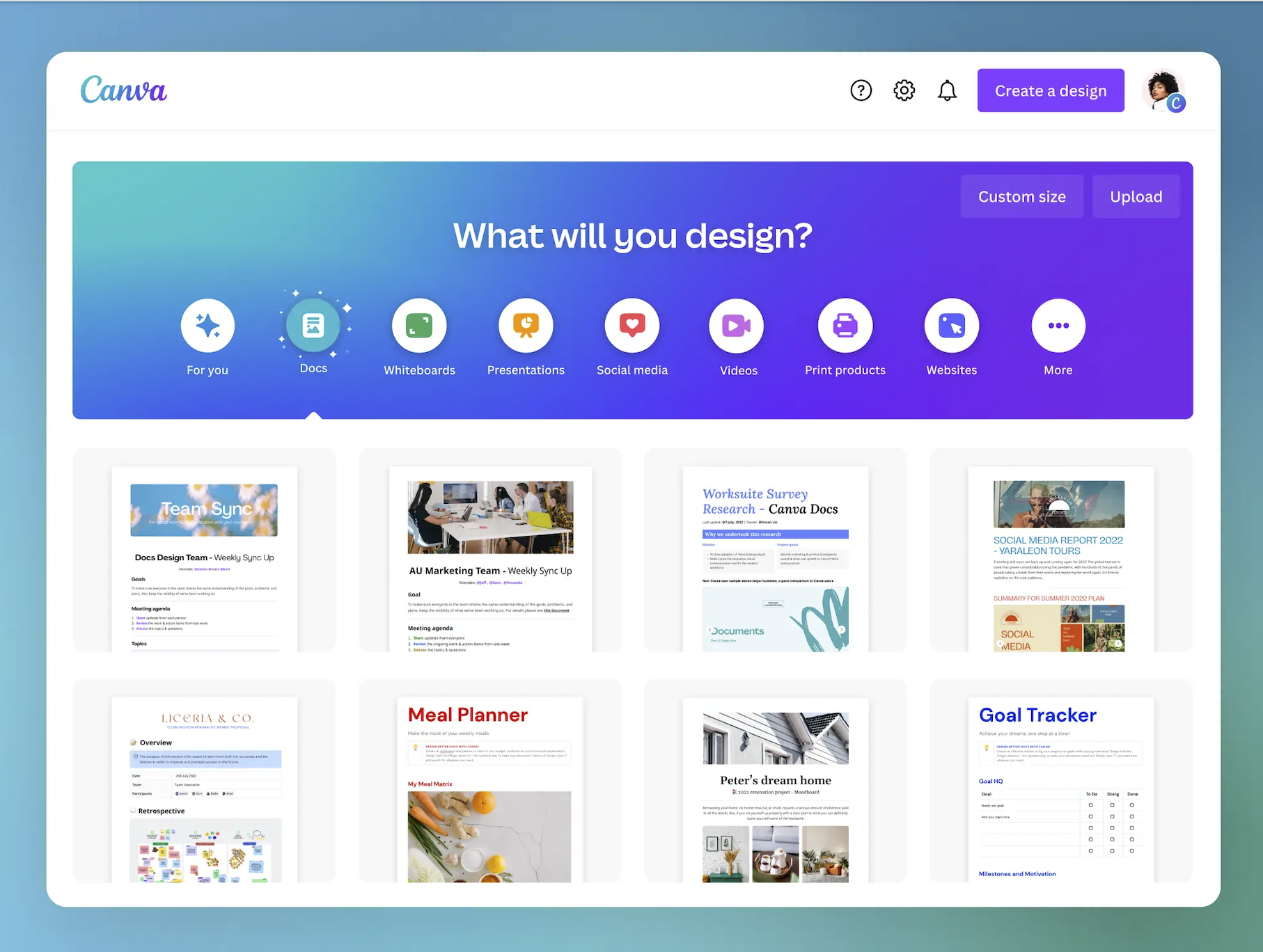
Canva is a versatile online design platform that offers a wide range of templates, fonts, and graphics. Whether you’re creating social media posts, presentations, or marketing materials, Canva has everything you need to bring your ideas to life.
Key features:
- Drag-and-drop interface: Easily create designs without any coding knowledge.
- Vast library of templates: Choose from thousands of pre-designed templates for various purposes.
- Stock photos and graphics: Access a vast library of high-quality stock photos and graphics to enhance your designs.
- Collaboration features: Work with your team in real-time to create and edit designs together.
2. Unsplash
Unsplash is a free stock photo website that offers a vast collection of high-quality images. These images are free to use for both personal and commercial purposes, making it a valuable resource for designers and content creators.
Key features:
- Curated collection: Browse through a carefully curated collection of photos from talented photographers.
- Search functionality: Easily search for photos by keyword, color, or orientation.
- Downloadable formats: Download images in various formats, including JPEG, PNG, and SVG.
3. Jasper.ai
Jasper.ai is an AI-powered writing assistant that can help you generate high-quality content quickly and efficiently. It can be used to write blog posts, social media captions, product descriptions, and more.
Key features:
- Natural language processing: Jasper.ai understands and responds to your prompts in a natural language, making it easy to use.
- Content generation: Generate a variety of content formats, including blog posts, social media captions, product descriptions, and email copy.
- Customization options: Customize the tone and style of your generated content to match your brand voice.
With these tools, you can easily transform your ideas into stunning visuals and engaging content. So go ahead, unleash your creativity, and bring your vision to life!
3. Building Your Course Home: Platforms and Tools for All Levels
Before anything else, you need a platform to host and manage your course. Why it matters? Think of this as your online classroom—a place where your students will access all the lessons, materials, quizzes, and assignments. These platforms offer the foundation for your course, and many come with built-in features like payment gateways, analytics, and email marketing, saving you time and effort.
Learning Management Systems (LMS): An effective LMS will help you manage both your course and your students more efficiently, ensuring a smooth learning experience for everyone.. Popular options include Teachable, Thinkific, and phpFox.

phpFox is a powerful and versatile platform that offers a wide range of features for creating and managing online learning platforms. Here are some of the key benefits of using phpFox:
- Customization: One of the standout features of phpFox is its customization capabilities. With phpFox, you can design a learning environment that mirrors your brand perfectly. Whether it’s the design elements, navigation, or user experience, you have the freedom to tailor every aspect of your course to meet your vision
- Community Building: phpFox is designed to foster a sense of community among your students. You can create forums, groups, and events to encourage interaction and collaboration.
- Monetization Options: phpFox offers a variety of monetization options, including subscriptions, advertise,
- Integration with Other Tools: phpFox integrates seamlessly with other popular tools and services, such as payment processors, email marketing platforms, and social media networks.
- Scalability: phpFox is designed to scale with your business, so you can easily add new courses and students as your community grows.
Payment Processors: If you plan to charge for your course, you’ll need to integrate a payment processor like Stripe or PayPal. These processors allow you to accept payments from your students securely and efficiently.
Key considerations when choosing a payment processor:
- Fees: Compare the fees charged by different payment processors to find the most cost-effective option.
- Security: Ensure that the payment processor you choose has robust security measures in place to protect your students’ payment information.
- Integration: Make sure the payment processor integrates seamlessly with your LMS and other tools.
- Supported payment methods: Consider the payment methods that are most popular in your target market.
By carefully selecting an LMS and payment processor, you can create a seamless and user-friendly experience for your students.
4. Spreading the Word: Marketing Made Easy
Harness the Power of Digital Marketing to Promote Your Course
Once you have a home for your digital products on phpFox, it’s time to spread the word and promote them to your audience. Social media platforms like Instagram, TikTok, X (formerly Twitter), and Facebook are a great place to start.
Even if it feels a bit awkward at first, talking about your digital products is essential for your audience to know they exist. Engaging with your audience on these platforms can also help you attract more potential customers who are interested in what you have to offer.
Effective marketing is essential for reaching your target audience and driving enrollments. Here are some powerful tools to help you promote your course:
1. Email Marketing
Email marketing is a highly effective way to reach your target audience and build relationships with potential students. A good email marketing platform can help you create professional-looking emails, segment your audience, and track your results.
Mailchimp is a popular and user-friendly email marketing platform that offers a variety of features, including customizable templates, automation, and analytics.
2. Social Media Management
Social media is a powerful tool for promoting your course and building a community around it. A social media management tool can help you schedule your posts, track your engagement, and analyze your results.
Hootsuite is a popular social media management platform that allows you to manage multiple social media accounts from a single dashboard.
3. Video Creation
Video content is highly engaging and can help you showcase the value of your course. There are many tools available for creating professional-looking videos, even if you don’t have any video editing experience.
Canva is a versatile design tool that also offers video editing features. You can easily create videos using Canva’s templates and drag-and-drop interface.
Additional Tips for Promoting Your Course:
- Target Your Audience: Identify your ideal student and tailor your marketing efforts to reach them.
- Create High-Quality Content: Share valuable and informative content related to your course topic on social media and your website.
- Offer Incentives: Offer discounts, bonuses, or free resources to attract students.
- Build Relationships: Engage with your audience and build relationships with other influencers in your niche.
- Track Your Results: Use analytics tools to track the performance of your marketing campaigns and make data-driven decisions.
By utilizing these tools and strategies, you can effectively promote your online course and attract a steady stream of students.
Conclusion
Every digital creator has their own go-to tools, and with so many options out there, it’s smart to take your time and choose based on your unique needs. Start with simple yet effective tools that can grow with your business, and don’t be afraid to experiment along the way. The key is finding what works for you. (Pro tip: Always check if the tools you’re considering can integrate with what you’re already using!)
Remember, learning is part of the journey, and you’re ready to start building your digital product today!