

Welcome to the latest release of phpFox version 5 (Metafox), version 5.1.8! We’re excited to present a range of enhancements, features, and optimizations designed to elevate your experience with our software. In this release note, we’ll walk you through the key improvements and additions that make phpFox version 5 (Metafox) even more powerful, intuitive, and user-friendly.
Now let’s dive into discovering how phpFox version 5 (Metafox) version 5.1.8 can transform your workflows and streamline your processes.
What’s new in the release?
phpFox Core Updates
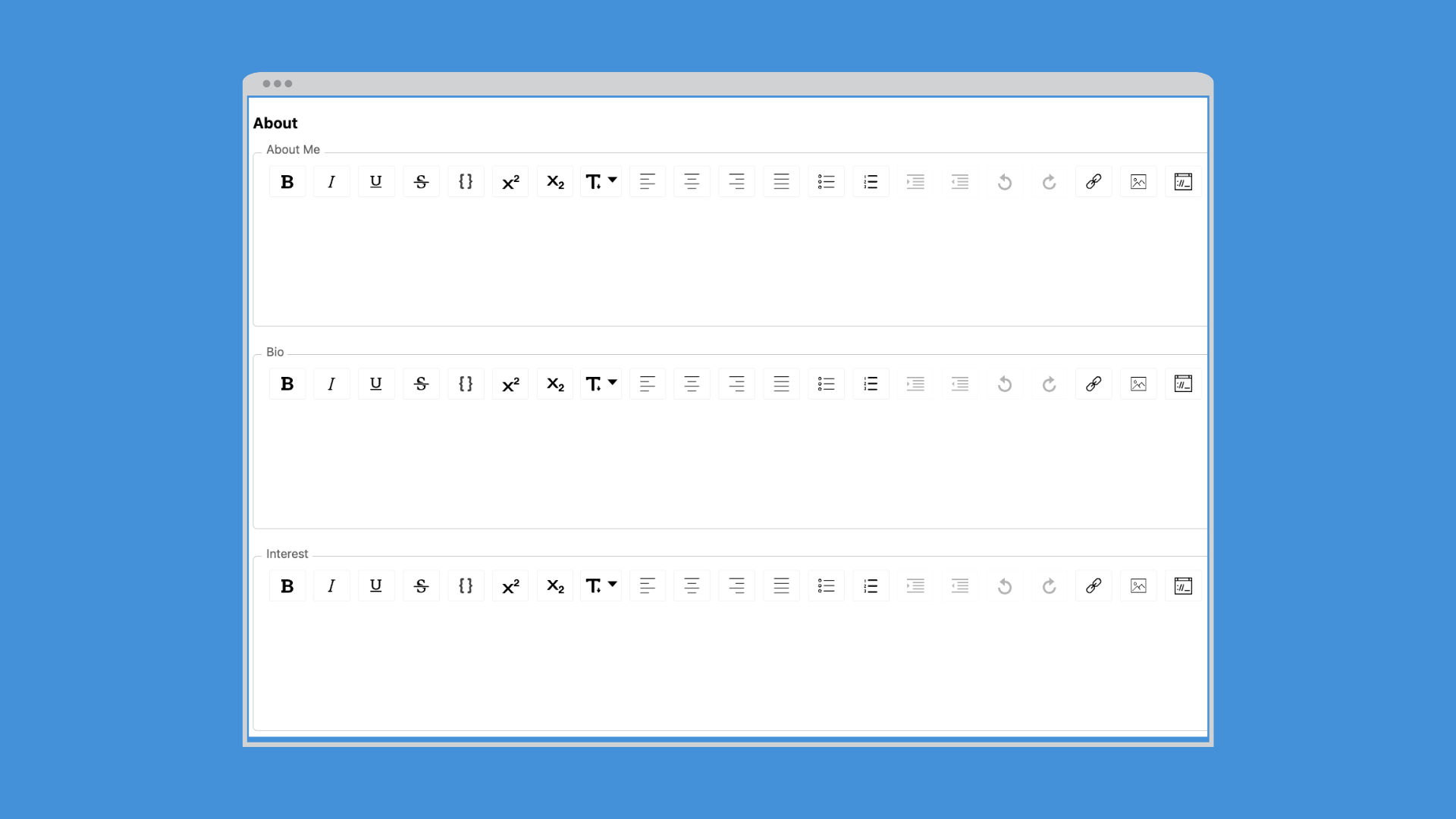
1. Introducing the Rich-text Editor
Enable the Rich-text Editor for the Profile’s About Me section, allowing formatting text content for more expressive and personalized profiles.
2. Localization Improvements
– Manage cities within countries seamlessly, enhancing localization capabilities for a more tailored experience.
– Phrases Enhancement: The “Group” column has been replaced with the “Original Text” column for better clarity and ease of use.
3. Layout Editor Mode
– Add Google Adsense blocks and enable Editor Mode on the Registration page for enhanced customization.
– Update Help icon links for easier access.
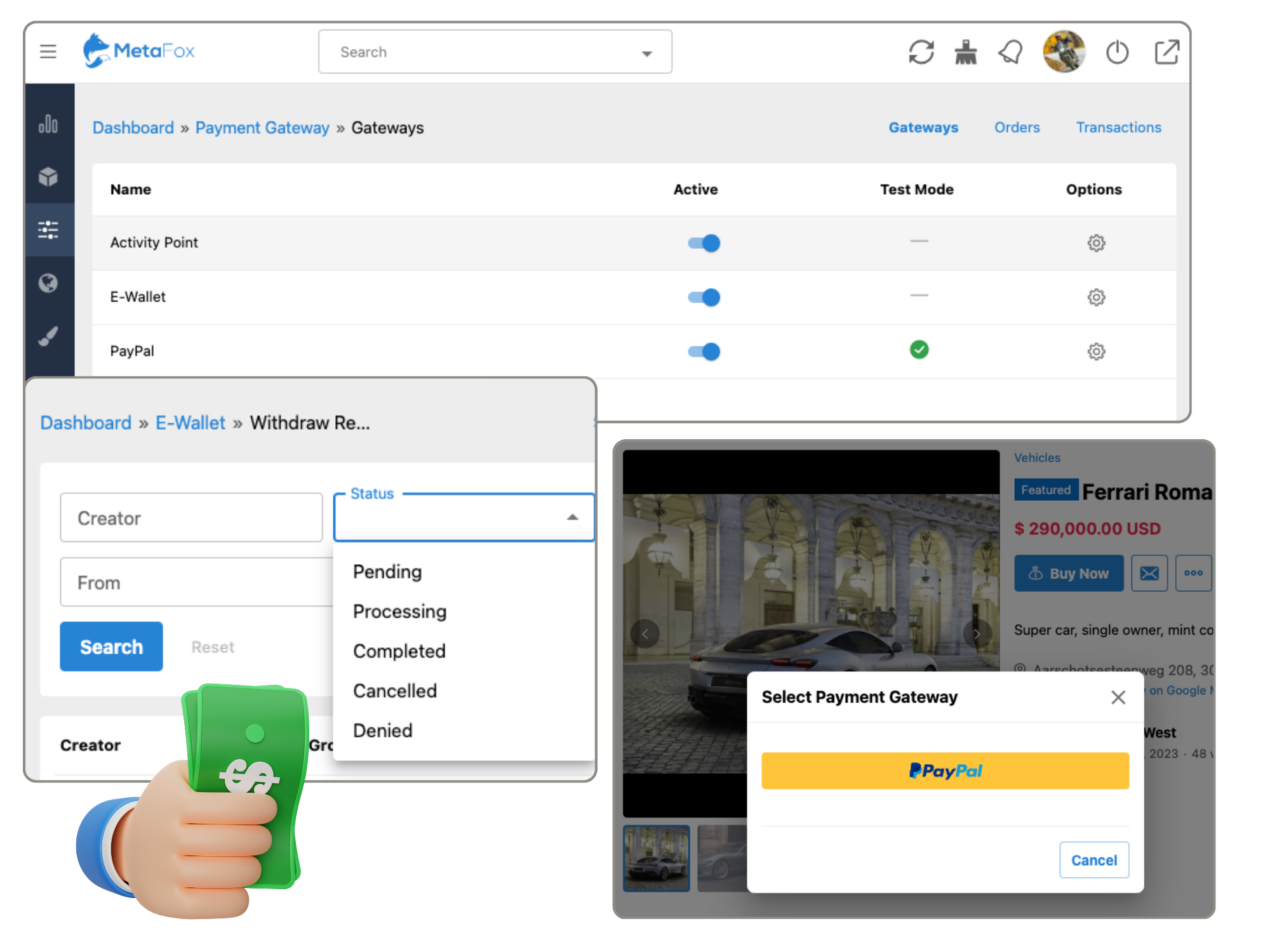
4. Appearances
– Customize icon colors of side menu items in mobile apps and open link-type menus with context menus.
5. Users:
We’re excited to announce several user-centric updates and enhancements in this latest release:
– Administrators now can log out all users, providing enhanced control and security measures.
– Users can now log out of their accounts from other devices, ensuring privacy and security across multiple platforms.
– In line with our commitment to inclusivity, we’ve removed the custom gender option to promote equality and diversity.
– Experience improved workflow with the revamped “Force Users to Upload Profile Image” setting, streamlining the registration process and enhancing profile completeness.
– Customize registration options further by disabling the registration option for custom fields of specific roles, ensuring a tailored user experience.
phpFox Apps Updates
On top of Core Updates, we’re thrilled to introduce a series of Apps enhancements and updates across various features to enhance your experience on our platform. Here are some highlighted items:
1. All apps
Enhance phrase management for improved clarity.
Easily navigate subcategories by clicking on the number of subcategories within Manage Categories.
2. Event
Group events are now included in event listings for users interested in, attending, or invited to events.
3. Follow
– Introduce the ‘Follow User’ option on the Following/Follower sub-tab of the profile page.
4. Photos
– Edit photos after selection and before upload.
– Permission settings added to allow the addition of mature images with warnings.
– Prevent album details from reloading when deleting photos from an album.
5. Videos
– Enhanced video resolution for improved viewing experience.
– Repositioned the Fullscreen option for improved usability on iPad.
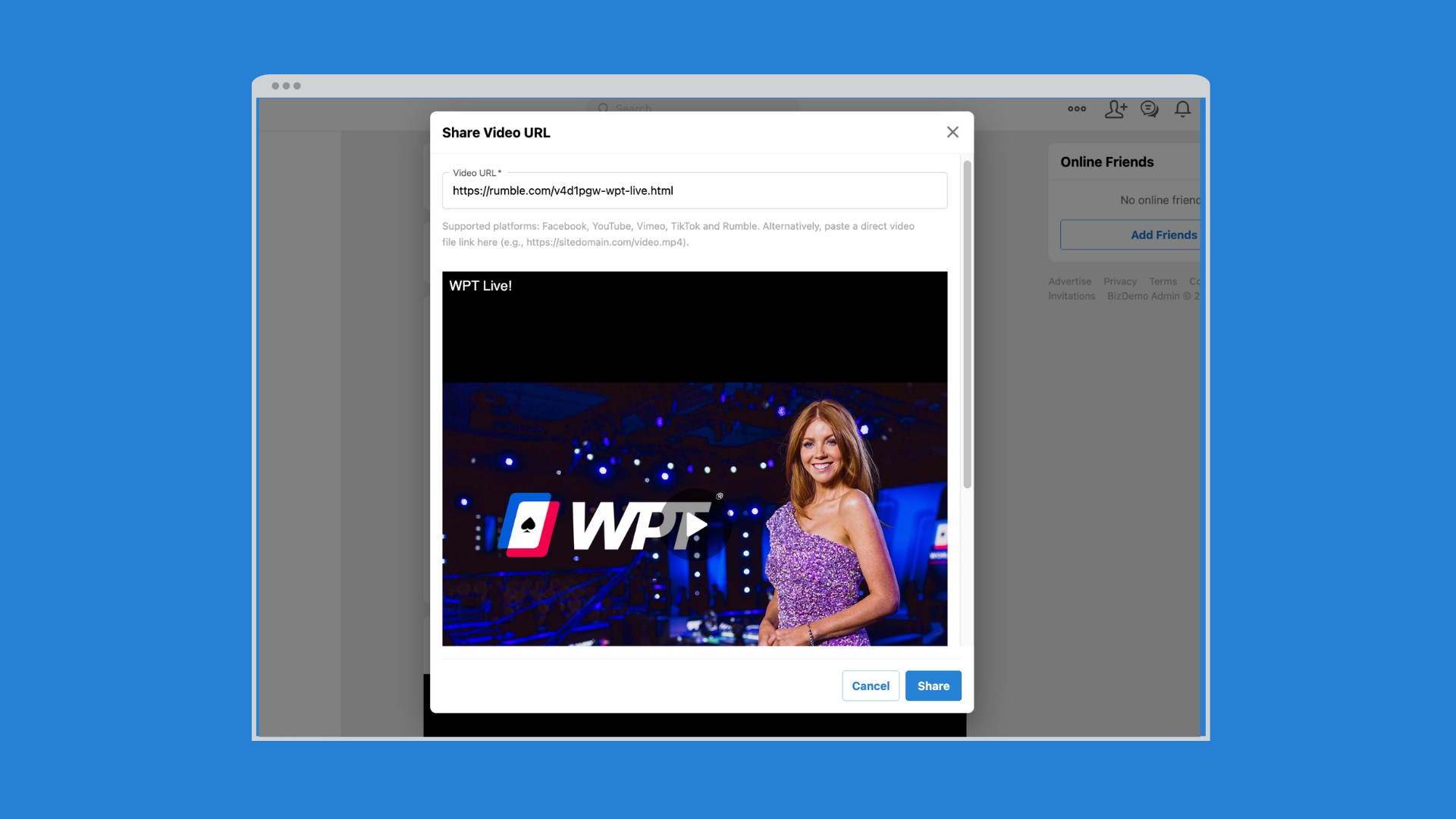
– Share videos from the Rumble Video Platform.
6. Pages
– Support for custom fields on pages.
– Enable the Like button on shared-page feed items.
– Engage with polls more effectively with improved UI on Poll Details and Create New Poll pages.
7. Chat
– Web/Mobile app users receive push notifications for new messages.
8. Chatplus
– Easily navigate to pinned messages with the “Jump to this message” action.
– Access original messages by clicking on reply or searching messages.
– Users can now copy/paste and drag/drop multiple files into conversations.
9. Stories
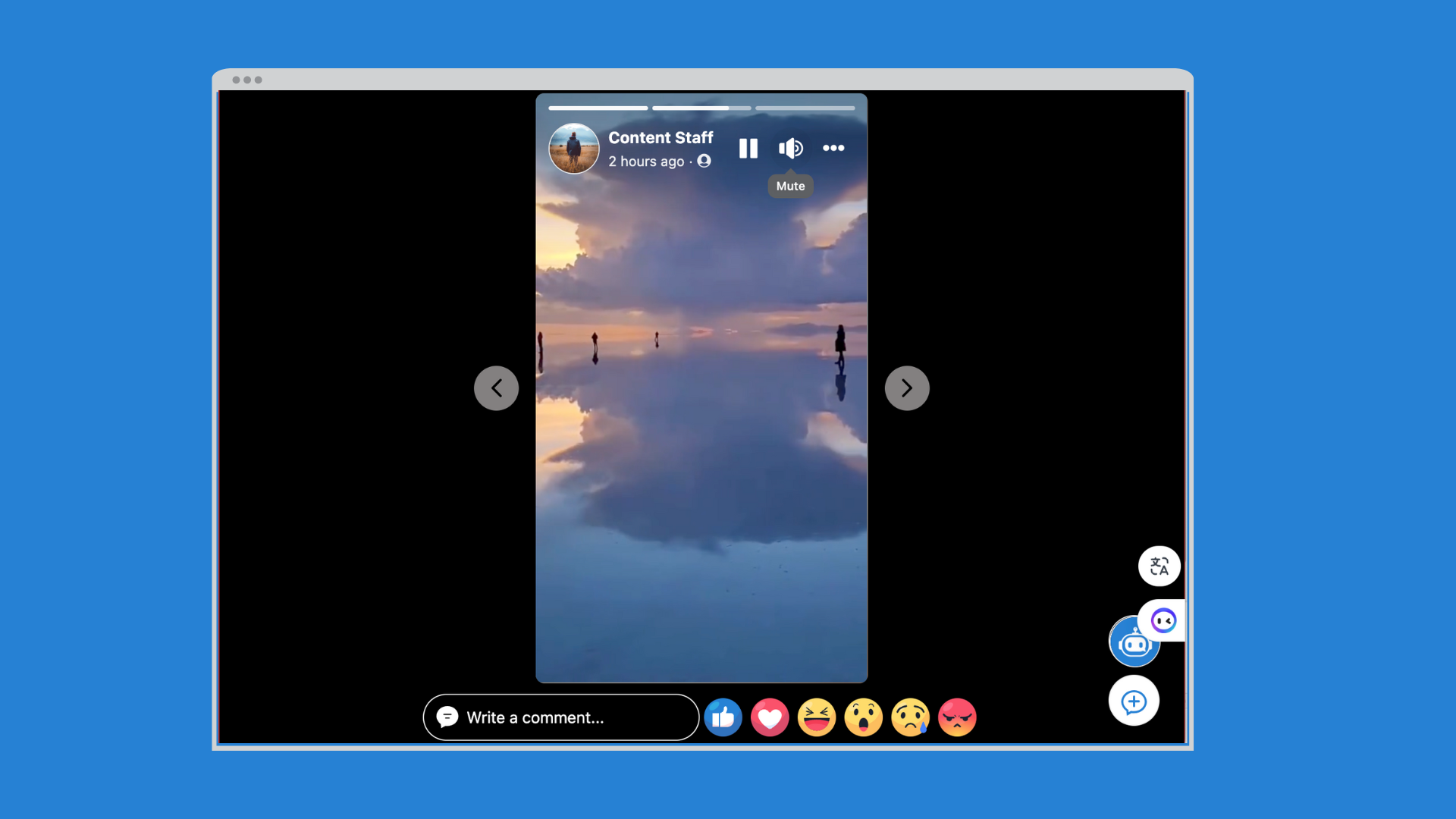
– Users can mute/unmute Video Stories.
– Receive friend suggestions for Instagram-type stories.
10. Advertise
– Improved layout on the Manage Ads page for better navigation.
11. Comments
– Added the “View Post” button on the Comment screen for mobile apps.
12. Feed
– New permission setting: “Can save media posts?” in the ACP.
– Updated permission setting: “Can pin activity feed?” renamed to “Can pin posts on Profile User/Page/Group?”
Other improvements
- Minor UI/UX Enhancements
- Loading screens now adapt based on light/dark mode selections.
- Improved display of static page icons on the mobile version.
- Added Close button functionality for streamlined interaction on the State/City screen.
- Enhanced phrase clarity within Reports and button color for Sign in with Google or TikTok.
- Calendar picker now appears upon tapping the calendar icon in mobile apps.
- Extended forgot password session lifetime to 5 minutes and improved error messaging.
- Support parse email addresses in the text content
- Invite – Admin can manage invitations of all users in AdminCP
- Reactions – Admin can manage existing reactions in AdminCP
- EWallet – Improve layout on mobile apps
- Hashtags – Support multiple languages
- Activity Points – Add permission setting to allow users to create point conversion requests
- Status Background – Support multiple languages for the Collection title
- Administrators can now select multiple roles, genders, and locations for newsletters.
- Other bug fixes
? phpFox version 5 (Metafox) 5.1.8 is an update bringing you closer to an intuitive and feature-rich platform. Explore the detailed improvements in our phpFox 5.1.8 Release Notes for a deeper understanding of the updates.
? The package of phpFox 5.1.8 is available for you to download in our Client Area. To update your phpFox site to version 5.1.8, run the upgrade routine following our Update Instructions. Update today and unlock a world of possibilities with phpFox version 5 (Metafox)!
We highly recommend you back up your site and database before updating. And remember to check with 3rd-party experts about the compatibility of all the apps/templates you use.
? For the new phpFox version 5 (Metafox) installation, you can follow the Installation Guide.
More information about phpFox version 5 (Metafox) features can be found on our page here .